Categoria: Uncategorized

  • Browser Wallet for Businesses: Compliance, Recovery, and Multi-Signature Setup Challenges

    A financial services firm wants to move a portion of its corporate treasury into cryptocurrency. The operations team can install a browser wallet extension in minutes, but the compliance officer immediately raises questions: Who holds the keys? Where are they stored? What happens if an employee leaves? How do you audit transactions for regulators? The convenience that makes browser wallets attractive to individuals becomes a liability when a business tries to apply the same tool to fiduciary responsibility, audit trails, and risk management.

    Browser wallets are designed for personal use. They prioritize speed, accessibility, and ease of recovery for a single user. A company handling customer funds, holding collateral, or managing payroll cannot operate under those assumptions. The lack of role-based access control, shared custody mechanisms, transaction approval workflows, and institutional-grade recovery procedures means that even a well-secured browser wallet leaves a business exposed to operational, legal, and financial risks that no audit can fully address.

    The fundamental mismatch between personal and business wallet architecture

    A browser wallet stores a private key, seed phrase, or keystore file on a user’s device. The user controls access through a password and the browser environment itself. For an individual, this model works because the user is both the owner and the operator. Loss of the device means loss of the funds, but it also means loss of control, which is complete and self-contained. For a business, the relationship is immediately more complicated.

    A company is a legal entity distinct from any single employee. That distinction requires a separation between operational access, authorization, and ownership. If the operations manager holds the only copy of the recovery seed phrase, they control the funds in practice, regardless of what the corporate bylaws say. If three employees each hold a backup phrase, the company faces the opposite problem: too many access points, no way to know who accessed funds when, and no mechanism to enforce approval policies. Browser wallets have no concept of this distinction. They are built to assume that the person with the key is the rightful owner and that possession is verification enough.

    A business using a browser wallet for even a small balance must therefore establish its own procedures to compensate for what the wallet software cannot provide. That typically means designating a custodian, requiring attestation before fund movement, maintaining offline backups with multi-party control, and accepting that the operational convenience of a browser extension is incompatible with institutional audit requirements. The more sophisticated the business, the more apparent the gap becomes.

    Regulatory and custodial liability in a decentralized structure

    Most financial regulators assume that an entity holding customer or shareholder funds on behalf of others is a custodian, even if no formal custody license was obtained. That assumption carries duties: segregation of assets, regular audit, insurance, and clear documentation of what is held, for whom, and under what terms. A browser wallet does not accommodate this framework. There is no custodian to audit, no segregated account to verify, and no insurance that covers the loss.

    Some businesses try to work around this by designating an employee or a third-party service as a “key custodian.” The employee holds the recovery phrase; the service maintains a backup. This arrangement is legally attractive because it appears to create custody accountability. It is operationally fragile because the custodian must access the key to authorize transactions, which means storing it in a way that is simultaneously secure and retrievable. If the key is stored in a corporate password manager, the security is as strong as the password manager and whoever has admin access. If it is stored offline, every transaction becomes a manual process that invites delay, human error, and resentment from the operations team.

    Regulatory bodies increasingly scrutinize whether a business that controls cryptocurrency actually has custody of it, regardless of whether a license was obtained. A browser wallet in the name of a company, accessed by employees, with no formal custody arrangement, could be classified as unlicensed custodianship. The company could face fines, be ordered to liquidate the position, or be subject to restrictions on future activity. The more the wallet is used for operational cash flow rather than long-term holdings, the more exposed the business becomes to this classification.

    Recovery procedures when the owner is not an individual

    A browser wallet’s recovery process is designed for an individual who has forgotten a password or lost access to their device. The standard procedure is: recover the seed phrase from wherever it was stored, import it into a new wallet, and verify the balance. This process assumes a single owner with complete control. For a business, the recovery scenario is fundamentally different and usually much worse.

    If an employee who had access to a browser wallet leaves the company, or if the device containing the wallet is damaged, the company must recover the funds. That recovery requires the seed phrase or keystore file. If the employee stored it in their personal password manager, on their personal cloud account, or in a physical location they control, the company faces a choice: pay the employee to retrieve it, hire a lawyer to compel it, accept the loss, or attempt to gain unauthorized access. None of these paths is suitable for an institutional context.

    If the company correctly stored the phrase in a shared location, such as a physical safe or a multi-party secret-sharing system, recovery becomes a formal process. Multiple people must attend, verify identity, and confirm that the retrieval is authorized. This is appropriate for institutional funds, but it is also slow, expensive, and incompatible with the original appeal of the browser wallet—instant access and frictionless operation.

    The worst recovery scenario is the one that no wallet can prevent: the employee who controlled the key has disappeared, died, or is uncooperative. If the recovery seed phrase is in their possession, the company loses access to the funds unless a legal process can compel disclosure or unless the company accepts the loss. A browser wallet provides no mechanism to separate knowledge of the key from its ability to authorize transactions. This is not a security flaw in the wallet itself; it is an inherent limitation of the architecture when applied to institutional needs.

    Multi-signature and governance complications in browser wallets

    Some browser wallets can participate in multi-signature arrangements where two or more keys are required to authorize a transaction. This appears to solve the institutional problem: require two employees to approve funds, and neither can move money unilaterally. The reality is more constrained. A multi-signature setup still requires each participant to sign using their local wallet, which means they must have the private key or recovery phrase stored somewhere accessible. The coordination problem returns: how do you distribute keys, verify that the right people are signing, and prevent one participant from acting outside of designated approval workflows?

    Most browser wallets cannot enforce approval roles, spending limits, or transaction queues. If a multi-signature wallet is set up to require two of three signers, the wallet itself has no way to enforce that a specific transaction is approved by, say, the CFO and the board secretary, as opposed to two operational staff members. The wallet signs or it does not; roles are enforced by process, not by the software. That is a significant limitation because it means the business must maintain a manual approval system on top of the browser wallet, defeating much of the speed advantage.

    Multi-signature wallets also raise the question of key storage and recovery. If three employees hold keys, where are the recovery phrases stored? If they are in a shared vault, that location is now a single point of failure for the entire multi-signature setup. If they are distributed, the company must track three separate recovery procedures and ensure that at least two participants can be contacted quickly when a transaction must be authorized. The operational overhead often exceeds what a small or medium-sized business is equipped to manage.

    Asset manager education and the risk of inadequate training

    Most employees designated to manage a browser wallet do not have specialized training in cryptocurrency security or blockchain operations. They may understand how to send and receive funds through a traditional financial interface, but browser wallets expose them to decisions that have no parallel in conventional banking. Which network should the transaction be sent to? Is the address correct? Why is the gas fee suddenly higher? What does a pending transaction status mean?

    An employee who makes a mistake can trigger irreversible losses. Sending funds to the wrong address, using the wrong network, or approving a malicious transaction cannot be reversed by a support team or a bank. This is radically different from traditional financial systems, where errors can often be corrected, recovered, or insured. For a business, this means that wallet manager training is not optional; it is a core operational requirement. Yet most businesses do not budget for it or assume that installation and basic usage are sufficient.

    The risks compound when employees use browser wallets while working remotely or switching between devices. A compromised home network, an outdated browser, or malware on a personal laptop can expose the private key. An employee who resets their browser or installs a wallet on a different device must import the recovery phrase again, multiplying the number of places where the key exists. Each exposure point is an opportunity for compromise.

    Educational resources such as cryptoextensionguide.at can help employees understand the basics of wallet security, anti-phishing verification, and recovery procedures, but they cannot substitute for customized training and clear policies specific to the company’s needs. A generic browser wallet tutorial does not address the business’s specific recovery procedures, approval workflows, or audit requirements. Providing that training in-house requires either hiring specialized staff or contracting with a consultant, both of which add cost to what initially appears to be a cost-saving solution.

    Why businesses should default to institutional infrastructure instead

    A business that has determined it needs to hold cryptocurrency should seriously consider whether a browser wallet is the appropriate tool before proceeding. For most institutional use cases, the answer is no. Instead, a business should evaluate purpose-built custody solutions, institutional exchanges with segregated holdings, or hardware-based key management systems designed for enterprise use.

    An institutional custody provider holds the cryptocurrency on behalf of the business, maintains insurance, provides audit trails, enforces approval workflows, and handles regulatory compliance. The business loses the option to move funds instantly, and it typically pays a custody fee, but it gains the segregation, governance, and legal clarity that regulators expect. For a business managing customer funds, this is not optional; it is the minimum standard.

    For a company holding its own treasury, the equation is different but the conclusion often remains similar. A dedicated enterprise wallet system can enforce approval policies, track transactions for audit purposes, integrate with accounting software, and provide disaster recovery procedures that a browser wallet cannot. Some of these systems integrate with hardware security modules or cold storage arrangements that minimize the risk of key exposure while still allowing for rapid recovery if needed.

    The one scenario where a browser wallet might be acceptable for a small business is if the holdings are genuinely small, the recovery process is regularly tested, the access points are strictly limited, and the business explicitly accepts the operational and regulatory risks. Even then, a clear written policy documenting the arrangement, the recovery procedure, and the audit trail should be in place. If the policy itself cannot be written clearly, that is usually a sign that the wallet architecture is inadequate.

    Practical steps if a business insists on using a browser wallet

    Some businesses will use a browser wallet despite these cautions, either because they lack resources for better alternatives or because their holdings are genuinely small. If that describes the situation, several steps can reduce the exposure. First, limit the amount held to a level where loss would be acceptable rather than catastrophic. The private key should be backed up offline and stored in a physical location with restricted access, such as a corporate safe or a safe deposit box.

    Second, establish a written procedure for wallet initialization, transaction approval, recovery, and succession planning. The procedure should specify which employees may access the wallet, which transactions require additional approval, how the recovery phrase is stored and protected, and what happens if the designated custodian becomes unavailable. This procedure should be reviewed annually and updated whenever personnel changes occur.

    Third, implement multi-party control over the recovery phrase using a secret-sharing scheme such as Shamir’s Secret Sharing, where the phrase is split into multiple pieces and a subset (such as three of five) is required to reconstruct it. This ensures that no single employee can unilaterally access the funds without cooperation from others. Fourth, maintain a transaction log for audit purposes, recording the date, amount, destination, authorization, and purpose of every transaction. This log must be kept separate from the wallet itself and reviewed regularly.

    Fifth, test the recovery procedure regularly and document the results. A recovery plan that has never been tested may not work when needed. Designate a schedule—perhaps annually—where the backup is verified and a transaction is executed to confirm that the wallet remains functional. Finally, insure the cryptocurrency if possible through a specialized insurance provider. Insurance will not recover lost private keys or prevent mistakes, but it can cover some categories of loss.

    The path forward: institutional tools for institutional needs

    The cryptocurrency industry is beginning to build infrastructure specifically designed for business needs. Multi-signature custody solutions, regulatory-compliant wallet systems, and enterprise-grade key management are increasingly available. These tools are more expensive and less convenient than a browser wallet, but they address the actual requirements of a business that must hold and audit cryptocurrency.

    As the regulatory environment continues to evolve, the pressure on businesses to use institutional infrastructure will increase. Regulatory bodies are not interested in whether a company uses a browser wallet or a specialized platform; they are interested in whether the company maintains custody in a responsible manner that protects the funds and provides transparency. A browser wallet makes that case harder, not easier.

    For a small business that has decided to hold cryptocurrency, the honest assessment is this: the same wallet initialization, security, and recovery discipline that works for an individual becomes inadequate once a business, multiple employees, and fiduciary responsibility enter the picture. The convenience is real, but it comes at a cost that most businesses should not be willing to pay.

    Frequently asked questions

    Can a company legally use a browser wallet to hold customer funds?

    In most jurisdictions, holding customer or third-party funds requires a custody license or explicit regulatory exemption. A browser wallet does not provide the audit trails, segregation, insurance, or governance controls that regulators expect. Using one without proper licensing could expose the company to fines and legal action. Institutional custody solutions are the appropriate tool for this purpose.

    What happens if an employee who controlled the recovery phrase leaves the company?

    The company loses access to the funds unless the phrase was stored in a shared location under company control. If the employee retains the only copy, the company cannot move the funds without their cooperation. This is why browser wallets are unsuitable for institutional use; they have no separation between operational access and ownership. A multi-party key recovery system should be in place before funds are deposited.

    Is multi-signature a solution for institutional compliance?

    Multi-signature can help by requiring multiple keys to authorize a transaction, but it does not solve the institutional problem completely. A browser wallet cannot enforce approval roles, spending limits, or transaction queues. The business must maintain separate procedures to ensure that the right people are approving the right transactions. The wallet itself only signs or does not sign; it does not understand business policy.

  • BGK konto i BGK biznes: porównanie narzędzi i ryzyk logowania do BGK24 dla firm

    Jedna rzecz, której menedżerowie finansów często nie rozumieją na początku współpracy z instytucjami państwowymi: prosty dostęp do konta to nie tylko wygoda — to mechanizm kontroli ryzyka operacyjnego. W praktyce platforma bankowości internetowej BGK24 łączy funkcje standardowej bankowości firmowej z modułami projektów rządowych i zaawansowanymi mechanizmami płatności zbiorczych. To stawia przed przedsiębiorcą pytanie: jak wybrać ustawienia, które maksymalizują efektywność płatności i jednocześnie minimalizują powierzchnię ataku?

    Wstępna odpowiedź wymaga rozróżnienia dwóch ról: “BGK konto” jako konto firmowe (rachunek bieżący, walutowy, rachunek VAT lub powierniczy) oraz “BGK biznes” jako sposób organizacji operacji przez system BGK24 wraz z modułami takimi jak SIMP. Ten artykuł pokaże mechanizmy działania, porówna alternatywy autoryzacji i integracji oraz wskaże, gdzie system zwykle “siada” — czyli które elementy wymagają szczególnej ostrożności w polskim kontekście prawnym i operacyjnym.

    Logo Banku Gospodarstwa Krajowego — symbol państwowej roli BGK w obsłudze rachunków rządowych i programów publicznych

    Jak działa BGK24: rdzeń mechanizmu i kluczowe decyzje

    BGK24 to system do zarządzania rachunkami i zlecaniem płatności. Mechanicznie składa się z kilku warstw: warstwy autoryzacji użytkownika (logowanie, biometryka, token), warstwy autoryzacji transakcji (token mobilny, SMS), modułów funkcjonalnych (SIMP, obsługa rachunków VAT, escrow) oraz API integracyjnego dla firm (Web Service). To rozwarstwienie pozwala skalować uprawnienia i separować obowiązki — ale też mnoży punkty, które trzeba chronić.

    Dla klienta biznesowego główne decyzje operacyjne to: (1) który kanał autoryzacji stosować jako podstawowy (token mobilny vs SMS vs biometryka), (2) jak skonfigurować limity transakcyjne w aplikacji mobilnej, oraz (3) jak korzystać z integracji Web Service do podłączenia ERP. Każda z tych decyzji ma bezpośrednie konsekwencje bezpieczeństwa i operacyjności.

    Autoryzacje: porównanie token mobilny vs SMS vs biometria

    Token mobilny (aplikacja BGK24 Token) — mechanizm: po aktywacji generuje kody w trybie offline. Zalety: odporność na przerwy sieciowe i trudniejsza kradzież sesji zdalnej; wadą jest zależność od konkretnego urządzenia i procedura parowania przy wymianie telefonu (stare urządzenie trzeba usunąć). To zmniejsza ryzyko SIM-swap, ale stwarza operacyjny koszt przy zmianie sprzętu.

    Autoryzacja SMS — mechanizm: jednorazowy kod dostarczany przez operatora telekomunikacyjnego. Zalety: prostota, powszechna dostępność. Wady: podatność na ataki typu SIM-swap i przechwycenie wiadomości. Dla dużych płatności lub integracji automatycznych SMS nie jest najlepszym wyborem.

    Biometria — mechanizm: lokalne odblokowanie aplikacji mobilnej odciskiem palca lub Face ID. Biometria podnosi komfort i zabezpiecza przed dostępem osoby trzeciej do aplikacji na urządzeniu, lecz nie zastępuje autoryzacji transakcji w systemie (może służyć jako warstwa pierwszego dostępu). Biometria nie przenosi uprawnień między urządzeniami.

    Limity, polityka urządzeń i operacyjna odporność

    Domyślne limity w aplikacji mobilnej (1000 zł dziennie i 500 zł na przelew) są zorientowane na bezpieczeństwo. Możliwość podniesienia do 50 000 zł daje elastyczność, ale wymaga świadomej polityki: kto ma prawo podwyższać limity, jakie są procedury weryfikacji i jak monitorować anomalie. Wyższy limit bez odpowiednich procedur audytu to prosta droga do strat przy błędzie kadrowym lub ataku socjotechnicznym.

    Architektura urządzeń nakłada restrykcję: profil użytkownika może być aktywny tylko na jednym smartfonie. To ograniczenie redukuje atak wielosystemowy, ale wprowadza konieczność zarządzania cyklem życia urządzeń (procedury usuwania starego telefonu, parowania nowego). Firmy z rotacją pracowników powinny mieć centralny proces revoke/issue urządzeń.

    SIMP i SIMP Premium: automatyzacja płatności zbiorczych — korzyści i zagrożenia

    Moduł SIMP to narzędzie do masowych płatności, przydatne przy wypłatach lub rozliczeniach kontraktowych. Mechanizm integruje się z ERP przez Web Service i może znacznie zmniejszyć pracę ręczną. Korzyść: automatyzacja i standaryzacja. Zagrożenie: błąd w pliku płatniczym lub niewłaściwe mapowanie pól może wygenerować błędne transfery na dużą skalę. Dlatego systemy powinny mieć wielostopniową autoryzację (separacja ról), próby testowe i funkcję cofnięcia zanim wyśle się masowe przelewy.

    Dla klientów korzystających z rachunków VAT i mechanizmu split payment SIMP może być szczególnie przydatny, ale wymaga zrozumienia skutków księgowych — zwłaszcza przy rozliczeniu podatkowym i okresowych audytach.

    Gdzie BGK24 “siada”: ograniczenia i typowe źródła ryzyka

    Najczęstsze słabe punkty to: (1) procedury przy wymianie urządzenia (błędne usunięcie starego telefonu może zostawić aktywną ścieżkę autoryzacji), (2) nadmierne podwyższanie limitów bez kontroli, (3) użycie SMS jako jedynej metody autoryzacji dla wysokich kwot, (4) brak integracji audytów z ERP przy użyciu Web Service. Każdy z tych punktów to mechanizm, który sam w sobie nie jest wadą, ale w kontekście braku procesów wewnętrznych staje się podatnością.

    Warto także pamiętać o procesach odzyskiwania dostępu: blokada po trzech nieudanych logowaniach i konieczność kontaktu z infolinią to zabezpieczenie, ale też potencjalne źródło opóźnień krytycznych płatności. Plan awaryjny powinien uwzględniać opcję szybkiej weryfikacji tożsamości i procedury eskalacji u BGK.

    Praktyczne heurystyki i rekomendacje dla firm

    Heurystyka 1 — separacja ról: nigdy nie łącz osoby generującej plik przelewów z osobą autoryzującą masowe wypłaty. Heurystyka 2 — limity w praktyce: ustawiaj limity operacyjne bliskie codziennej potrzebie, a większe zlecenia kieruj do wielostopniowej autoryzacji. Heurystyka 3 — urządzenia: trzymaj katalog autoryzowanych sprzętów i postępuj według checklisty przy wymianie telefonu.

    Dla firm intensywnie korzystających z programów rządowych przez BGK (np. dystrybucja środków programowych) kluczowe jest zrozumienie: BGK24 to nie tylko konto — to platforma, która współdziała z procesami administracji publicznej. Integracja z Profilami Zaufanymi i MojeID pozwala usprawnić weryfikację beneficjentów, ale wymaga skrupulatnego zarządzania uprawnieniami.

    Aby szybko przejść do praktycznego logowania i sprawdzić instrukcje aktywacji tokenu lub procedurę zmiany urządzenia, skorzystaj z oficjalnej strony instrukcji: bgk24 logowanie.

    Co obserwować dalej — sygnały, które zmienią reguły gry

    Monitoruj trzy sygnały: (1) zmiany w technologii autoryzacji (np. szerokie wdrożenie FIDO2 lub WebAuthn w bankowości korporacyjnej), (2) regulacje dotyczące bezpieczeństwa teleinformatycznego i dostępu do systemów płatniczych, oraz (3) ewolucję metod ataku na łańcuch dostaw telekomunikacyjnych (SIM-swap). Każdy z nich może przesunąć optymalny kompromis między wygodą a bezpieczeństwem.

    Jeżeli BGK rozszerzy integracje API (bardziej zaawansowane Web Service), firmy będą miały większe możliwości automatyzacji — ale równocześnie muszą zainwestować w testy integracyjne i monitorowanie anomalii transakcyjnych.

    FAQ — najczęstsze pytania praktyczne

    1. Co jest bezpieczniejsze dla firmy: token mobilny czy SMS?

    Dla firm o znaczących przepływach finansowych bezpieczniejszy jest token mobilny działający w trybie offline — redukuje ryzyko SIM-swap i przechwycenia kodów. SMS jest prostszy, ale bardziej podatny na ataki telekomunikacyjne. Optymalna polityka to token dla autoryzacji dużych transakcji i SMS/biometria jako dodatkowa warstwa dostępu.

    2. Jak zabezpieczyć masowe przelewy w SIMP?

    Wdrożyć separację obowiązków (tworzenie pliku przez jedną osobę, zatwierdzenie przez drugą), testy próbne na małych kwotach, audyt pól pliku oraz automatyczne alerty anomalii po wysyłce. Przy integracji z ERP warto mieć środowisko testowe i logi transakcyjne do szybkiego śledzenia błędów.

    3. Co robić przy zmianie telefonu z aktywnym tokenem?

    Usunąć stary telefon z listy autoryzowanych urządzeń w ustawieniach BGK24, przeprowadzić parowanie nowego telefonu zgodnie z procedurą, oraz zweryfikować, że żaden inny profil nie pozostał aktywny. W większych organizacjach warto koordynować to z działem IT i BGK.

    4. Czy można podnieść limity natychmiastowo?

    Tak, limity można podnosić do 50 000 zł, ale podwyższenie powinno iść w parze z audytem uprawnień, monitoringiem transakcji i dokumentacją decyzji — to zmniejszy ryzyko nadużyć i błędów.

  • 지갑 확장 하나로 여러 체인을 관리할 수 있을까? — Rabby Wallet의 위치와 실전적 판단

    서울에서 DeFi를 실험하려는 사용자의 현실적인 장면으로 시작하자. 당신은 NFT 마켓에 가고, 이더리움 기반 DEX에서 유동성을 제공하고, BSC나 Polygon 위의 특정 프로젝트에 스테이킹을 걸고 싶다. 각 체인마다 다른 네트워크를 전환하고, 트랜잭션 수수료를 확인하고, 동일한 자산 이름이 다른 체인에서 충돌하는 상황을 피해야 한다. 이 상황에서 ‘멀티체인 지갑’이라는 개념은 단순히 여러 네트워크를 나열하는 수준을 넘어, 사용자의 선택과 위험을 줄여주는 도구로 진화해야 한다.

    이 글은 Rabby Wallet 데스크톱 확장(크롬 포함)과 모바일 앱을 찾는 한국어 사용자에게 실전적 판단 프레임을 제공하려고 한다. 기술적 원리, UX와 보안의 트레이드오프, 실무에서 자주 만나는 한계와 대처법을 다루며, 마지막에는 명확한 행동 지침과 감시 포인트를 제안할 것이다.

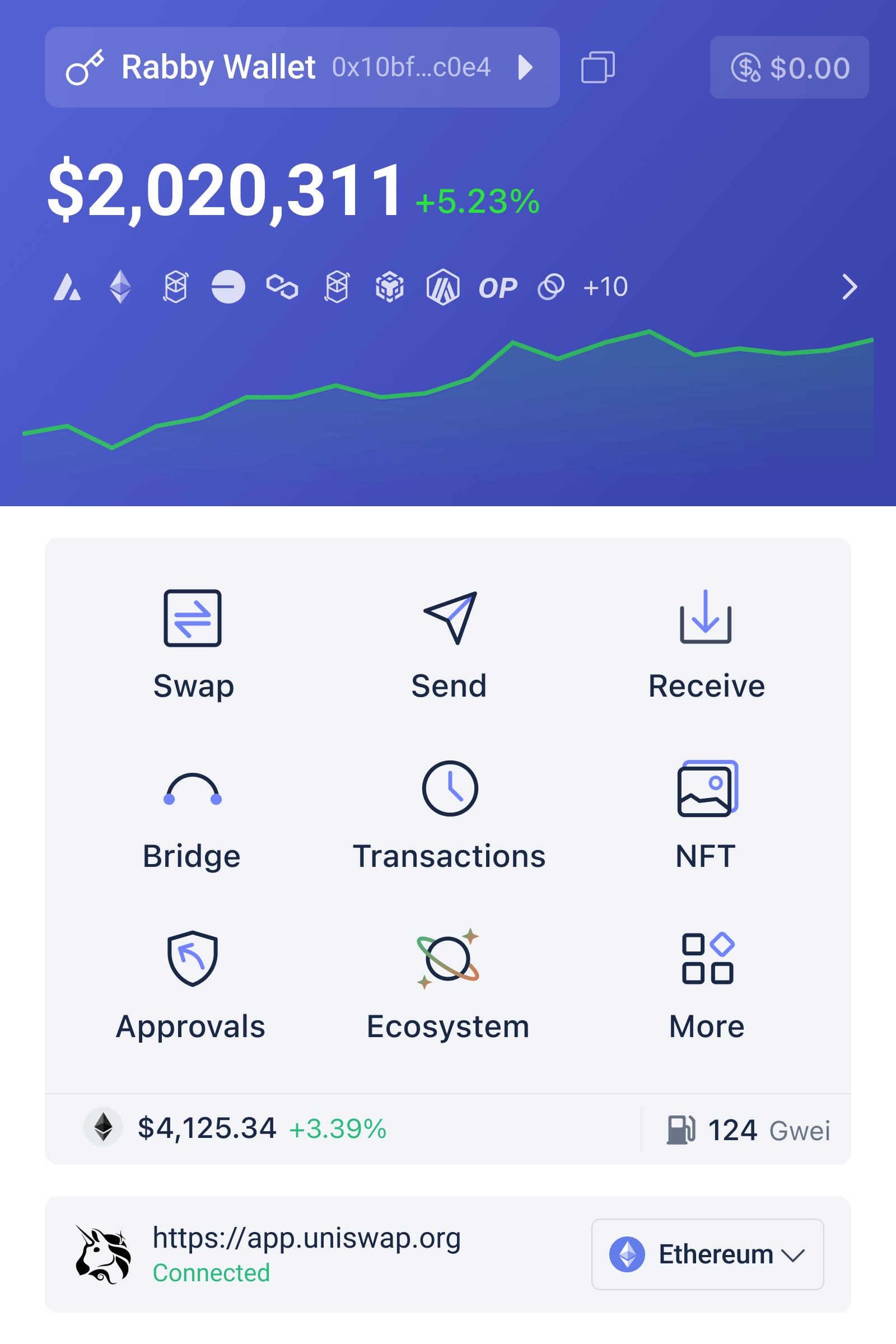
    Rabby Wallet 인터페이스 예시와 멀티체인 전환, 트랜잭션 서명 흐름을 보여주는 스크린샷

    멀티체인 지갑이 해결하려는 문제와 핵심 메커니즘

    멀티체인 지갑은 한 지갑 소유자가 여러 블록체인 네트워크의 주소와 자산을 한 인터페이스에서 관리하도록 돕는다. 근본 메커니즘은 단순하다: 같은 개인키(혹은 시드)에서 파생된 주소들을 여러 체인에 대응시키고, UI/네트워크 레이어가 사용자를 대신해 RPC(endpoints)를 전환하며 트랜잭션을 구성한다. 그러나 ‘보이는 것’과 ‘작동하는 것’ 사이에는 중요한 차이가 있다. 예컨대, 체인 간 자산의 ‘동일성’은 기술적으로 보장되지 않는다 — 같은 토큰 심볼이라도 체인마다 다른 스마트컨트랙트 주소를 가진 별개 자산이다.

    실무적 의미: 멀티체인 지갑은 전환 편의성과 관리 효율을 제공하지만, 사용자는 체인별 자산 주소, 수수료(가스), 그리고 트랜잭션 리스크를 별도로 확인해야 한다. 자동 네트워크 전환 기능은 편리하지만 때로는 위험을 수반한다. 예를 들어 악성 DApp이 특정 RPC를 강요해 피싱 트랜잭션을 유도할 수 있다. 따라서 멀티체인 지갑 설계는 ‘편의’와 ‘통제’ 사이의 균형을 취해야 한다.

    Rabby Wallet—어떤 위치에 서 있나?

    Rabby Wallet 확장은 데스크톱 브라우저 환경에서 멀티체인 자산을 다루기 위해 만들어진 도구다. 핵심적으로는 사용자의 서명 흐름을 명확히 하고, DApp과의 상호작용에서 서명 요청의 의미를 시각적으로 분리하려는 설계 철학을 가진 것으로 알려져 있다. 한국 사용자를 위한 실전 팁: 브라우저 기반 확장은 편의성이 크지만, 브라우저 확장 자체가 공격 표면이라는 점을 잊어서는 안 된다.

    만약 데스크톱과 모바일을 모두 쓰려는 사용자라면, 확장과 모바일 앱의 연동 방식(예: 시드 동기화, 연결 프로세스)을 검토해야 한다. 일부 사용자는 데스크톱에서 확장을 쓰고, 이동 중에는 모바일 앱을 이용한다. 이때 중요한 결정 포인트는 ‘시드 백업과 복구’다—하나의 시드가 여러 환경에서 사용될 때 노출 위험이 늘어난다. Rabby Wallet을 설치하려는 독자에게는 공식 배포 페이지를 통해 설치 파일이나 안내를 확인하되, 설치 전 복구 문구(시드)를 종이 등 오프라인 매체에 안전하게 보관하라는 기본 원칙을 반드시 지키라고 권한다. 실제 다운로드 페이지는 다음 링크에서 찾을 수 있다: rabby wallet 다운로드.

    트레이드오프: 보안, 편의, 기능성

    아래는 실무에서 자주 마주치는 세 가지 축이다. 각 축은 서로 충돌할 수 있으므로 의사결정은 사용 패턴과 위험 허용도에 기반해야 한다.

    1) 보안 vs 편의: 브라우저 확장은 클릭 한 번으로 DApp에 연결하는 편리를 준다. 반대로 확장 권한을 가진 악성 확장이나 브라우저 취약점이 발생하면 키 노출로 이어질 수 있다. 하드웨어 지갑 연동을 지원하는 지갑은 안전을 크게 높이지만 사용성은 낮아진다.

    2) 멀티체인 호환성 vs 상호 운용성 위험: 더 많은 체인을 지원할수록 더 많은 기회를 활용할 수 있지만, 체인마다 다른 스마트컨트랙트 표준과 리스크가 존재한다. 지갑이 자동으로 토큰을 ‘추가’할 때 사용자는 해당 계약 주소를 검증해야 한다.

    3) 자동화 기능 vs 수동 통제: 가스 예측, 슬리피지 설정, 체인 전환 자동화는 실패 확률을 낮출 수 있지만, 때론 사용자 의사와 다른 네트워크에서 의도치 않은 서명을 발생시킬 수 있다. 중요한 서명(예: 대규모 자산 이동)은 항상 수동으로 확인하는 습관이 안전하다.

    한계와 경계: 언제 지갑이 맥을 못 추는가

    멀티체인 지갑은 사용 경험을 단일화하지만 다음 한계는 명확하다. 첫째, 체인 간 자산 이동(브리지)은 지갑 기능이 아니라 브리지 프로토콜의 영역이다. 지갑은 단지 서명 도구에 불과하므로 브리지 설계상의 취약점이나 운영 실패는 지갑으로 해결되지 않는다. 둘째, 프라이버시 보장에는 한계가 있다. 지갑 확장은 사용자의 주소 활동을 로컬에 저장하거나 DApp과 상호작용할 때 메타데이터를 노출할 수 있다. 셋째, 생태계 수준의 위험(예: 스마트컨트랙트 버그, 토큰 스왑 라우팅 공격)은 지갑이 완전 방어할 수 없다.

    이 말은 무엇을 의미하나? 지갑 선택은 편의성만으로는 정당화될 수 없다. 사용자는 지갑을 ‘서명 인터페이스’로 이해하고, 브리지나 DApp 사용 시 추가 검증 단계를 습관화해야 한다. 또한, 계정 분리 전략(고액 자산은 하드웨어, 소액은 데일리용 확장)을 권장한다.

    결정-useful 프레임워크: 어떤 기준으로 Rabby나 다른 멀티체인 지갑을 선택할 것인가

    다음 네 가지 질문을 의사결정 체크리스트로 삼아라.

    1) 내 자산 규모와 빈도는? — 고액이면 하드웨어+경량 확장 조합을, 빈번한 체인 전환이 필요하면 UX를 우선 고려한다.

    2) 체인 포트폴리오와 브리지 사용 계획은? — 여러 브리지를 거치는 전략이면 보안과 트랜잭션 로그를 더 엄격히 검토한다.

    3) 복구와 백업 절차는 명확한가? — 시드 구문과 비상 복구 계획을 문서화하고, 암호화 백업과 오프라인 백업을 분리한다.

    4) 의심스러운 서명이나 트랜잭션을 어떻게 판단할 것인가? — 서명 창에서 컨트랙트 주소, 호출 메소드, 금액 단위를 확인하는 습관을 들인다.

    이 네 가지 프레임워크는 단편적인 보안 조언을 넘어, 사용자가 실제로 행동할 수 있는 체크리스트를 제공한다. Rabby 같은 지갑을 도입할 때는 이 항목들을 하나씩 점검하고, 필요하면 작은 규모로 테스트 네트워크에서 먼저 실험해 보라.

    한국 이용자 관점에서의 실전 팁과 주의점

    KR 사용자 특화 팁을 몇 가지 정리하면 다음과 같다. 한국에서는 원화 환전소, 세무 이슈, 그리고 국내 규제 환경이 자주 바뀌므로 자산 이동 기록을 철저히 남겨 두는 것이 실무적으로 중요하다. 또한, 국내 DeFi 커뮤니티에서는 한시적으로 유행하는 브리지나 신규 토큰이 자주 등장하므로 ‘빠른 참여’보다 ‘스마트 컨트랙트 주소 검증’을 우선시하라.

    기술적 점검: Rabby 확장 설치 후 브라우저 확장 권한, 자동 RPC 설정, 그리고 ‘연결된 사이트’ 리스트를 정기적으로 확인하라. 모바일과 데스크톱을 오갈 경우에는 동일한 시드 사용을 피하거나, 최소한 복구 문구를 안전한 물리적 장소에 보관하는 것이 권장된다.

    무엇을 지켜볼 것인가: 단기적 신호와 중장기적 시나리오

    단기적으로 주목할 신호는 지갑 확장이 제공하는 보안 기능의 공개 감사(audit) 여부, 하드웨어 지갑 연동 개선, 그리고 사용자 인터페이스에서의 서명 의미 설명 강화다. 중장기적으로는 멀티체인 UX를 표준화하는 시도(예: 통일된 서명 메시지 포맷), 체인 간 신뢰 최소화(bride-less interoperability) 솔루션의 진전, 그리고 규제 변화가 핵심 변수가 될 것이다.

    조건부 시나리오 예시: 만약 다음 12–24개월 사이에 브리지 보안이 크게 개선되어 표준화된 안전 프로토콜이 도입된다면, 멀티체인 지갑은 단순 관리 도구를 넘어 ‘체인 간 포지셔닝’의 핵심 허브가 될 수 있다. 반대로 브리지 공격이 계속된다면 사용자는 체인별로 더 엄격한 분리 전략을 채택할 가능성이 높다.

    자주 묻는 질문(FAQ)

    Q: Rabby 확장만으로 모든 체인의 위험을 관리할 수 있나요?

    A: 아니요. 지갑 확장은 서명과 자산 표시를 단순화하지만, 브리지 취약성, 스마트컨트랙트 버그, 체인 고유의 운영 리스크 등은 지갑 수준에서 완전히 통제할 수 없습니다. 지갑은 위험 관리 도구의 한 부분일 뿐이며, 하드웨어 지갑 병용, 소액-고액 계정 분리, 트랜잭션 내용의 수동 확인 같은 보수적 조치가 필요합니다.

    Q: 확장 설치 후 가장 먼저 점검해야 할 항목은 무엇인가요?

    A: 복구 문구(시드)를 안전한 오프라인 장소에 백업했는지 확인하고, 확장 권한과 연결된 사이트 목록을 검토하세요. 자동 RPC나 서명 자동화를 꺼두고, 하드웨어 지갑 연동을 지원하면 우선 테스트해보는 것이 좋습니다.

    Q: 모바일 앱과 데스크톱 확장, 둘 중 무엇을 먼저 써야 하나요?

    A: 용도에 따라 다릅니다. 일상적인 소액 전송과 DApp 탐색은 모바일이 편리하고, 복잡한 트랜잭션 검토나 대규모 자산 운용은 데스크톱에서 하드웨어 지갑과 연결해 처리하는 편이 안전합니다.

  • Rabby Wallet Phishing Protection: How Watch-Only Mode Defends Against Social Engineering

    A user manages significant cryptocurrency holdings across multiple accounts and frequently approves transactions through a browser-based DeFi wallet. The risk is not only exchange rate slippage or smart contract vulnerability; it is the moment between deciding to approve a transaction and actually signing it. Malware can intercept that window, alter the recipient address in the clipboard, or display a fake confirmation screen. The traditional defense—careful verification—fails when the device itself has been compromised and shows what appears to be the correct address to the user’s own eyes.

    Watch-only mode in Rabby Wallet offers a structural solution: maintain a read-only copy of an account on a device or browser profile used primarily for inspection, while keeping signing authority separate. This creates a verification checkpoint that does not rely on the device being trustworthy in the moment of approval. The security benefit is not convenience or reduced clicks. It is the creation of two independent systems that must agree before funds move, making clipboard-hijacking malware and certain phishing attacks significantly more expensive to execute.

    The phishing window in browser-based cryptocurrency wallets

    A browser extension wallet is inherently positioned at a difficult security boundary. It runs in the same process space as websites, JavaScript, and any malware that has achieved code execution on the system. When a user initiates a transaction through a DeFi application, the wallet displays details—destination address, amount, gas estimate, token name—and requests approval. The assumption is that the user reads, understands, and consciously decides to sign. In practice, that assumption fails frequently enough to matter.

    Clipboard-hijacking malware specifically targets the moment between copying an address and pasting it into a transaction. The malware substitutes a different address, one controlled by an attacker, after the user has already performed the copy action. From the user’s perspective, the paste operation produces what appears to be the correct address because the malware intercepts at the kernel level and rewrites the clipboard contents. Hardware-level isolation would prevent this, but browser extensions running on standard operating systems have no such protection.

    Phishing attacks use a parallel mechanism: a fake website or compromised legitimate website displays a modified transaction confirmation screen. The screen may match the real wallet’s interface, show the correct amount, and even display what appears to be the intended destination. The attacker controls the rendering, so every visual element can be consistent with the user’s expectation. Only after the user signs and submits the transaction does the altered recipient address execute on the blockchain, at which point the transaction is irreversible.

    Watch-only mode in Rabby creates a deliberate asymmetry: an account can be observed and audited on one device or browser profile, but not signed without moving to a different system. This separation means that malware or phishing that compromises the observation system cannot directly cause fund loss. To steal funds, an attacker must compromise both the device where the watch-only copy resides and the device holding the actual signing key, or they must trick the user into approving a malicious transaction on the signing system and then convince the user that the watch-only view is showing something different.

    How Rabby’s account import and connection methods support verification workflows

    Rabby allows users to add addresses through multiple pathways: direct address entry for read-only observation, seed phrase import for full control, private key import, hardware wallet connection via Ledger, Trezor, GridPlus, OneKey, Keystone, BitBox02, or CoolWallet, or connection to an existing MetaMask account. This flexibility enables a security practice that would be awkward or impossible in a single-method wallet. A user can import the same account into Rabby twice: once as a watch-only address on a frequently-used browser or device, and once with signing capability on a more isolated system.

    The watch-only import is the critical step. By adding the public address alone—without the recovery phrase, private key, or hardware wallet connection—the account becomes visible for balance checking and transaction monitoring, but the browser extension cannot sign transactions. If an attacker gains control of that browser profile or installs malware on that device, they can see the account balance and transaction history, but they cannot initiate outgoing transfers. This is not a limitation; it is the intended design.

    For the actual transaction signing, the user can move to a separate device, browser profile, or hardware wallet. If the account is secured by a hardware wallet integration with Ledger, Trezor, or another device, the signing step introduces physical confirmation. If the account is secured by a seed phrase stored offline or on an air-gapped machine, the user must manually approve each transaction by entering credentials or connecting the signing device to the network in a controlled manner. These friction points are not failures of the system; they are checkpoints where human verification becomes necessary.

    The watch-only copy serves as a transparency layer. After signing a transaction on the isolated system, the user can immediately return to the watch-only Rabby instance and check whether the blockchain transaction matches what was approved. The transaction hash, recipient address, amount, and timestamp should align perfectly. If they do not, the user knows something went wrong—either a network propagation issue, malware on the signing device, or an error in the transaction construction. The watch-only view becomes evidence of what was actually submitted.

    Institutional and mobile integrations expand the verification model

    Rabby integrates with Safe, Cobo, Argus, Amber, and Fireblocks for institutional custody scenarios, and with MetaMask Mobile, Trust Wallet, TokenPocket, imToken, and other apps via WalletConnect. These integrations extend the watch-only principle beyond a single extension. An institutional user might import a Safe multisig account as watch-only in Rabby on a frequently-used device, while approvals happen through a separate Safe web interface or dedicated hardware. A retail user might observe an account in Rabby on a desktop browser, but authorize transactions only through MetaMask Mobile on a hardware-secured phone.

    The WalletConnect protocol is particularly useful in this workflow because it enables the watch-only Rabby interface on one device to coexist with transaction signing on another device entirely. A user can scan a WalletConnect QR code from Rabby on a desktop, which pairs the session with a MetaMask Mobile instance on a phone. When a transaction is presented for approval, the phone receives the request separately from the desktop display. If malware on the desktop has compromised the Rabby display and is showing an altered address, the user can still verify on the phone by comparing the address shown in MetaMask Mobile against their records or a separate source of truth.

    This multi-device architecture does not require the phone or separate device to be perfectly isolated. It only requires that the attacker cannot simultaneously compromise all observation points and the signing mechanism. Clipboard hijacking on the desktop becomes less useful if the user manually types the address into the phone. Phishing that targets the desktop browser cannot affect what appears on the mobile app because the apps do not share the compromised browser process. The cost of a successful attack rises sharply because the threat model now includes defeating multiple independent systems.

    Watch-only mode versus full account compromise

    The distinction between a watch-only account and a full-access account matters most in scenarios where the device or browser is already suspected of compromise. If malware is active, a traditional wallet that holds the signing key is vulnerable to key exfiltration, transaction interception, and approval automation. Malware can wait for the user to approve a transaction, then silently modify it before sending, or it can construct a transaction automatically when conditions are met.

    A watch-only account provides no signing capability, so malware cannot extract a key that does not exist on the device. The account is still visible, meaning an attacker can monitor balances and transaction history, but observing is not the same as controlling. Many users discount observation risk—if an attacker only sees balances, what is the harm? The answer depends on whether the user’s net worth, transaction patterns, or holdings have value as intelligence. For most users, the primary concern is fund loss, not privacy of account observation, making the impossibility of signing a sufficient protection.

    The trade-off is that watch-only mode requires a second device or system to approve transactions. For casual users making one or two transactions per month, this friction is tolerable and may encourage verification. For active traders or high-frequency signers, the additional steps could impair usability. Rabby supports this use case by allowing both watch-only and full-access imports of the same account on different devices, or even on the same device in different browser profiles. The user chooses whether to incur the friction for the security benefit based on their risk tolerance and activity level.

    Practical implementation: setting up a watch-only verification workflow

    A user with a significant DeFi position can implement this strategy with minimal additional infrastructure. On the primary device used for browsing and interacting with DeFi applications, install Rabby and add the account as watch-only. Copy the account address from the wallet and note it separately, or take a screenshot and store it offline. Do not import the recovery phrase or connect a hardware wallet to this instance of Rabby on this device.

    On a second device—a laptop used less frequently, a phone, or a separate browser profile—install Rabby again and import the account with full signing capability. This can be done by importing the seed phrase, connecting a hardware wallet, or importing the private key. Store the signing credentials with the same care as if this were the only copy of the wallet. Test the setup by creating a small test transaction and verifying that the transaction hash and recipient address match between the watch-only view on the primary device and the signing event on the secondary device.

    When a real transaction is needed, the workflow is straightforward. On the primary device, use Rabby or any DeFi interface to prepare the transaction and verify the destination address against the separately stored reference. Do not copy and paste the destination address from the website or another potentially compromised source; instead, compare character by character or use a hardware-based channel if available. Then move to the secondary device, open Rabby or the connected signing app, and construct or approve the same transaction. After signing, return to the primary device and check that the pending transaction hash and recipient match the watch-only view. Only after this verification is the transaction considered approved.

    This process does require discipline, but it transforms the signing moment from a point of maximum vulnerability into a point of structured verification. The attacker is no longer facing a user who casually approves what the screen displays. The attacker is facing a user who compares multiple independent views and expects them to align. That shift in the threat model is the core security benefit of watch-only mode.

    Limitations and remaining attack surfaces

    Watch-only mode is a strong defense against clipboard hijacking and phishing of the signing interface, but it does not eliminate all risks. If the user’s seed phrase is stored insecurely—in a text file, cloud storage, or on a device connected to the internet—the protection is negated by the compromise of that storage. Watch-only mode assumes that the mechanism protecting the signing device is actually separate and actually protected. If both the primary and secondary devices are compromised by the same malware, the advantage disappears.

    Hardware wallet integrations add a layer of protection because the private key never leaves the device, but they are not invulnerable. A Ledger, Trezor, or other hardware wallet can still display a transaction that the user approves by pressing a button, even if the displayed address is being misrepresented on the connected computer. The physical device itself could be compromised at the firmware level, though this is much rarer than software compromise. For the highest-value accounts, an air-gapped signing system—a computer that is never connected to the internet and used only for signing transactions—provides stronger isolation, but it requires significantly more user effort.

    Watch-only mode also does not protect against social engineering that bypasses the transaction approval entirely. If an attacker convinces a user to export the recovery phrase or connect the account to a malicious contract through a fake website, watch-only mode offers no defense. The protection only applies to the specific attack surface of signing transactions while the device is compromised by malware that acts without the user’s knowledge. Users must still avoid phishing emails, verify website URLs, and treat recovery phrases as absolute secrets.

    The blockchain itself remains transparent. A watch-only account still reveals all transaction history and current balance to anyone who knows the address or examines the public ledger. This is an inherent property of most blockchain systems and not specific to Rabby. Users who want to maintain account privacy should consider whether any of their addresses are linked to their identity through exchange records, social media, or other sources.

    Browser wallet security in the broader threat model

    Rabby exists in a constrained security environment. A browser extension runs in the same operating system as malware, adware, and compromised applications. Even if Rabby itself is perfectly designed, the device running it might not be trustworthy. This is why learn more about the full range of account connection and verification methods available in the wallet, because the best security posture combines multiple tools rather than relying on any single feature.

    The reality of browser-based cryptocurrency wallets is that signing sensitive transactions on the same device used for general browsing, email, and installation of arbitrary applications is inherently risky. Watch-only mode does not eliminate that risk; it acknowledges it and structures a workaround. The watch-only copy on the potentially compromised device cannot steal funds. The signing device, whether a separate computer or a hardware wallet, must be individually protected. The user’s verification discipline at the signing moment is the final control layer.

    For users who are not willing to accept the compromise of using a browser wallet at all, the only complete defense is to move sensitive account management to a fully air-gapped system or a purpose-built hardware wallet interface. For users who want the convenience of a browser extension like Rabby but need stronger security than storing a signing key in the browser, watch-only mode strikes a practical balance. It requires accepting some additional friction in transaction approval, but it renders certain classes of attack—clipboard hijacking, fake confirmation screens, malware-driven transaction modification—substantially less viable.

    Frequently asked questions

    Can I use watch-only mode to monitor an account without any signing capability?

    Yes. When you add an address or import an account to Rabby as watch-only, the wallet displays the balance, transaction history, and token holdings, but it cannot initiate outgoing transactions or sign messages. This is useful for observing accounts controlled elsewhere or for maintaining a transparent view of an account on a device where you do not want signing capability to exist.

    Does watch-only mode protect me if my device has malware?

    Watch-only mode protects you from malware that tries to steal funds by intercepting or modifying transactions, because the malware cannot sign without the key. It does not protect you from malware that monitors what you type, captures screenshots, or steals data you enter elsewhere. You must still use caution with recovery phrases, private keys, and approvals on any device you use for signing.

    Can I approve transactions in watch-only mode?

    No. Watch-only mode explicitly does not include signing capability. To approve a transaction, you must use a separate instance of Rabby or another wallet where the account is imported with full access, either through a seed phrase, private key, hardware wallet connection, or mobile wallet connection via WalletConnect.

  • Trezor Hardware Wallet Models Compared: Which Version Should You Buy in 2024?

    A cryptocurrency holder faces a foundational security choice: how to store private keys without exposing them to internet-connected devices. This decision determines whether funds remain vulnerable to malware, phishing, exchange failures, or account compromise. The hardware wallet approach isolates key material from the network layer, but not all hardware wallets are identical. Trezor has offered several device generations since its 2013 inception, each with different display types, connectivity options, supported cryptocurrencies, and price points. Understanding the distinctions matters because choosing the wrong model can mean limitations in later years as new networks launch or transaction complexity increases.

    A user deciding between Trezor One, Trezor Model T, or newer variants needs clarity on what each device actually does, what it does not do, and which practical use case each serves best. A hardware wallet never stores funds directly; it stores private keys offline and signs transactions internally before the software broadcasts them unsigned to blockchain networks. This separation means the device itself contains no asset balances, no exchange functionality, and no custodial relationship with a service. What matters is the device’s ability to generate keys safely, protect them from compromise, support the cryptocurrencies and networks a user plans to hold, and produce valid signatures across transaction types that evolve as blockchain technology matures.

    Trezor hardware wallet models displayed side by side, showing different screen types and form factors across generations

    Trezor One: the original design and current limitations

    The Trezor One was the first commercially available hardware wallet and remains one of the simplest. It features a small OLED display, USB connectivity, and supports a wide range of cryptocurrencies including Bitcoin, Litecoin, Dogecoin, Dash, Zcash, Ethereum, and ERC-20 tokens. The device generates a recovery seed during initialization, displays it on the screen for secure backup, and protects all key operations with a PIN. Its small form factor and long battery-free operation made it an accessible entry point for self-custody during the early years of hardware wallet adoption.

    The practical limitation of Trezor One emerges when transaction complexity increases. The small OLED screen restricts what users can verify before signing. Complex contract interactions, token transfers with detailed parameters, or multi-step transactions may only show partial information on the device itself. This creates a trust gap: a user must either accept the on-screen preview is complete or connect a secondary device to verify the full transaction structure. For straightforward asset transfers, the display suffices; for conditional logic, DeFi interactions, or transactions with unusual data fields, the screen becomes a constraint rather than a confidence tool.

    Firmware updates for Trezor One continue, but the device’s memory limitations mean newer features sometimes cannot be ported backwards. A protocol change that requires more code space or more sophisticated display logic may work on Trezor Model T or newer hardware but cannot be deployed to Trezor One. This creates a gradual drift: the device remains functional for basic operations, but bleeding-edge features or newly launched blockchains may not receive support. For a user planning to hold assets over many years, or who expects their cryptocurrency interests to expand, starting with Trezor One and later upgrading to a newer model is a realistic scenario.

    The cost advantage of Trezor One is real. It is typically priced lower than newer models, making it an appropriate choice for someone testing self-custody with modest holdings or who only plans to use Bitcoin and a handful of established altcoins. Its longevity as a supported device, however, should not be assumed to extend indefinitely as blockchain network complexity increases.

    Trezor Model T: the touchscreen standard

    Trezor Model T introduced a color touchscreen, USB-C connectivity, and Bluetooth support through an optional adapter. The larger display provides more context for transaction details, enabling users to review addresses, amounts, fee rates, and contract parameters more thoroughly before approval. Touchscreen interaction felt more modern and reduced reliance on tiny buttons for navigation. The Bluetooth capability meant the device could communicate with mobile applications, broadening the use cases beyond desktop-only workflows.

    The processor and memory upgrades in Model T enabled support for new cryptocurrencies and more complex transaction types. Ethereum smart contract interaction became more legible; additional altcoins and tokens found room in the firmware. For most users, the screen upgrade alone justified the price difference. Being able to read a full Ethereum address, verify a token contract address, or see a complete DeFi transaction structure reduces user error and increases transaction confidence. The touchscreen also made the device feel less tethered to an older design language, which mattered for adoption among users who expected contemporary interfaces.

    Trezor Model T became the de facto standard hardware wallet for users with diverse cryptocurrency interests. Its support for Ethereum and ERC-20 tokens, Bitcoin, Litecoin, Dogecoin, Dash, Zcash, and numerous other chains made it flexible enough for most retail cryptocurrency holders. Prices for Model T devices typically stabilize in a mid-range band, making it neither the budget choice nor the premium option. For someone building a self-custodial setup that would be revisited over several years, Model T offered a good balance between feature scope, screen clarity, and longevity expectations.

    Screen technology and transaction verification differences

    The distinction between OLED and touchscreen is not cosmetic; it directly affects what a user can verify. A small OLED display on Trezor One forces developers to choose between showing partial information or having the user scroll through multiple screens to see the complete transaction. This works for Bitcoin transfers, where the primary data is a single recipient address and an amount. It becomes unwieldy for Ethereum contract calls, where the recipient address, the receiving contract address, the function being called, and the transaction value are all separate fields that might not all fit on one view.

    A larger color touchscreen lets developers show more fields simultaneously and use visual hierarchies to emphasize critical details. A Trezor Model T user reviewing an Ethereum transaction can see the destination address, the contract being interacted with, the function name, and the estimated gas cost in a single view. Some operations still require scrolling, but the density of information is higher. This difference becomes critical when evaluating a transaction that might contain a phishing attempt or a parameter error. The more information a user can cross-reference on the device before signing, the lower the risk of a costly mistake.

    Neither screen type changes the fundamental security model: the private key never leaves the device, and the device signs transactions internally before broadcasting them via the connected software. The screen is a verification tool, not a security guarantee. A user can still be socially engineered into sending to the wrong address or can misread a complex transaction structure. What the screen does is reduce the friction in the verification step, making it more likely that users will actually check details rather than skipping verification due to inconvenience or complexity.

    Connectivity and form factor considerations

    Trezor One connects exclusively via USB, which limits use cases to computers or USB-enabled devices. Trezor Model T added Bluetooth as an option through a separate adapter, enabling wireless communication with mobile devices. This expansion of connectivity is practical but comes with a security trade-off: wireless communication introduces additional attack surface. Bluetooth pairing must be secure, the protocol must handle authentication correctly, and the device’s wireless stack must not introduce vulnerabilities. Trezor’s approach has been to make Bluetooth optional rather than mandatory, allowing users who prioritize simplicity and air-gapped security to use USB-only, while users who need mobile flexibility can enable it.

    For a cryptocurrency holder who manages assets primarily from a computer, USB connectivity is sufficient. For someone who wants to initiate transactions from a smartphone or manage a portfolio across multiple device types, Bluetooth capability becomes valuable. The trade-off should be explicit: Bluetooth is more convenient but requires trusting an additional communication channel. An air-gapped workflow, where the hardware wallet never connects directly to the internet and transactions are transferred via USB cable or a physically disconnected second device, is more isolated but also more cumbersome.

    The form factor differences also matter practically. Trezor One and Model T are both portable and fit in a pocket or small bag. Newer models maintain similar dimensions, though case designs and material choices vary. For someone planning to carry a hardware wallet across locations or to access funds while traveling, physical size and ruggedness are real considerations. A device that is too fragile or too bulky becomes less likely to be used, which defeats the purpose of a portable offline key-storage solution.

    Cryptocurrency support and network coverage

    The list of supported cryptocurrencies is one of the most visible differences between Trezor models. Trezor One supports Bitcoin, Litecoin, Dogecoin, Dash, Zcash, Ethereum, and ERC-20 tokens. Trezor Model T expands this to include additional altcoins, tokens on multiple blockchains, and Ethereum-compatible networks like Polygon and Arbitrum. As blockchains proliferate and new layer-two solutions launch, firmware updates determine which assets a device can manage.

    The practical implication is that a device purchased today may have limited support for blockchains that become popular in the future. Trezor’s track record has been to add support for significant networks through firmware updates, but the pace of blockchain innovation sometimes exceeds the pace of hardware wallet feature development. A user holding Bitcoin and Ethereum in 2024 can be confident that both Trezor One and Model T will continue supporting them. A user holding a newer altcoin or a recent layer-two token should check whether their device’s firmware version includes support before assuming the device can interact with those networks.

    The recovery seed and passphrase system is model-agnostic: both Trezor One and Model T can restore wallets from the same BIP39 seed, and both support optional passphrases for advanced privacy. This means a user can migrate from one Trezor model to another by restoring the recovery seed, provided the destination device supports the cryptocurrencies involved. For someone planning to upgrade devices over time, this compatibility is important. The seed itself is not locked to hardware; it is a cryptographic standard that can theoretically be used with any compatible wallet software.

    PIN protection, brute-force defense, and physical security

    Both Trezor One and Model T protect private key access with a PIN that the user must enter directly on the device during initialization. The PIN is not transmitted to the computer; the hardware wallet handles it internally. This design prevents a compromised computer from capturing the PIN or attempting to guess it remotely. If someone physically obtains the device, they can attempt to guess the PIN, but Trezor implements an escalating delay after each wrong attempt, making brute-force attacks computationally expensive. After multiple failed attempts, the delay becomes so long that guessing all possible four-digit PINs would take years.

    The optional passphrase system adds another layer. A passphrase is not stored on the device; it is entered during the session and combined with the recovery seed to derive the actual keys. This means two people could have the same hardware wallet and recovery seed but different passphrases, leading to different wallet addresses and assets. For someone concerned about a stolen device being used to access funds, a strong passphrase known only to them—not written down, not stored digitally—makes the device useless without that additional knowledge. The trade-off is operational: forgetting the passphrase means the wallet cannot be recovered, even if the recovery seed is available.

    The physical device itself is not tamper-evident in the sense of cryptographic hardware security modules used in banking. If someone disassembles a Trezor device, they might be able to extract certain information or potentially modify firmware in ways that are difficult to detect. This is why purchasing from authorized retailers and verifying genuine firmware during setup matters. A secure hardware wallet is secure only if the device itself is genuine and unmodified. The recovery seed is the ultimate backup: if a device is lost or damaged, the seed can restore the wallet to any compatible device, making the physical hardware replaceable.

    Software ecosystem and official tools

    Trezor Suite is the official desktop application for managing Trezor devices. It provides account creation, transaction sending, address verification, firmware updates, and recovery seed management. The web-based interface at the official Trezor domain allows similar functionality through a browser. Third-party applications also support Trezor devices, including Bitcoin clients, Ethereum wallets, and specialized tools for altcoins. This ecosystem flexibility means a user is not locked into Trezor’s own software, but the official tools are the most thoroughly tested and integrated with the hardware.

    The software plays a crucial role that the hardware alone cannot: it maintains the blockchain state, shows account balances, generates new addresses for receiving payments, and constructs transactions that the hardware wallet will sign. Compromised or malicious software could theoretically craft transactions that the user does not intend to approve, or that contain data fields that would be dangerous to sign. This is why verifying transaction details on the hardware wallet’s screen before approving is essential. The screen represents the device’s view of what is about to be signed; if the software has inserted malicious data, and the user approves without checking the hardware screen, the transaction could be disastrous.

    For someone concerned about software integrity, running Trezor Suite on a dedicated computer, using updated firmware, and enabling all verification features creates a strong security posture. The official software is open-source, allowing developers to audit it and reducing the risk of hidden malicious functionality. A secure hardware wallet depends not just on the device but on a coordinated system: genuine hardware, authentic firmware, trustworthy software, and user discipline in verification.

    Choosing based on holdings, timeline, and risk tolerance

    For someone holding only Bitcoin with a single-digit coin count, Trezor One provides sufficient capability at a lower price. The OLED screen shows Bitcoin addresses clearly, the PIN protection is adequate, and the long-term support for Bitcoin is assured. This user might upgrade to a better device in five to ten years if their needs expand, but starting with Trezor One avoids overspecifying early.

    For someone holding Ethereum, multiple ERC-20 tokens, or altcoins beyond Bitcoin and Litecoin, Trezor Model T or a newer model becomes more practical. The color touchscreen makes it easier to verify contract interactions, and the broader firmware support reduces the likelihood of encountering an unsupported network. If the user plans to revisit the device every few years as their portfolio changes, a newer model is a better foundation.

    For someone planning to use hardware wallet backups at scale—storing recovery seeds, testing device recovery procedures, or managing multiple accounts—the specific model matters less than ensuring the setup is documented, seeds are securely stored, and procedures are tested without exposing secrets. A recovery seed written on paper, stored in a safe, and never typed into a computer becomes the critical asset. The hardware wallet device itself is replaceable and can be purchased at any time, provided the seed is retained.

    Risk tolerance also determines the right model. A conservative user managing substantial holdings might spend more on a newer device to reduce uncertainty about long-term firmware support. An experimental user testing self-custody with small amounts might choose the budget option and upgrade if needed. The decision should not be treated as permanent: a hardware wallet is a tool for protecting keys, not a final choice that cannot be changed.

    Looking ahead: firmware, standards, and evolution

    The cryptocurrency landscape continues to change. New blockchains launch, existing protocols implement upgrades, and transaction structures become more complex. A hardware wallet’s relevance depends on whether its firmware can be updated to support these changes. Trezor has maintained a track record of releasing updates for both older and newer models, but memory constraints mean very old devices eventually cannot accommodate new features without significant rework.

    Standards such as BIP39 (recovery seeds), BIP32 (hierarchical key derivation), and BIP44 (account structure) are likely to remain stable, meaning recovery seeds will retain their value across devices and software. Newer standards for Ethereum account abstractions, layer-two protocols, and post-quantum considerations may require firmware support that older devices cannot accommodate. A user evaluating a hardware wallet purchase in 2024 should consider not just the current supported networks but whether the device will likely receive updates as networks evolve over the next five to ten years.

    The competition in hardware wallets has increased since Trezor’s early dominance. Other vendors offer devices with different designs, form factors, and connectivity options. The choice between Trezor models should be made alongside awareness of competitive alternatives, but Trezor’s long track record, established software ecosystem, and support for a wide range of cryptocurrencies remain significant advantages. The question remains not whether Trezor is the only option, but which Trezor model best fits a specific user’s current needs and expected evolution over time.

    Frequently asked questions

    Can I restore a Trezor One recovery seed to Trezor Model T?

    Yes. Both devices use the BIP39 standard for recovery seeds, meaning a seed generated on Trezor One can be restored to Trezor Model T or vice versa, provided both devices support the cryptocurrencies involved. The restored wallet will have the same addresses and balances as the original, because the key derivation process is identical. Passphrases are also compatible across models.

    Does Trezor store my cryptocurrency?

    No. Trezor is a hardware device that stores private keys offline and signs transactions. It does not hold balances, act as a custodian, or operate as an exchange. Your cryptocurrency exists on the blockchain; Trezor simply provides the keys and signature capability to spend it. You must use software such as Trezor Suite to interact with blockchain networks and check balances.

    What happens if my Trezor device is lost or damaged?

    If you have backed up your recovery seed during device setup, you can restore your wallet to any compatible hardware wallet device by entering the recovery seed during initialization. The hardware device itself is replaceable; the seed is permanent. Without the recovery seed, a lost device means lost access to the funds. Always back up the seed during setup and store it securely offline, never in digital form.

  • A Token Tracker Is Not a Crystal Ball: How Crypto Screeners and DeFi Charts Actually Work

    The common misconception is that a token tracker simply displays “the price” of a cryptocurrency. On decentralized exchanges, there may be no single price to display, no central order book to define the market, and no guarantee that the most visible trading pair is the most meaningful one. A crypto screener is better understood as a real-time observation system: it collects activity from liquidity pools, organizes it into charts and rankings, and helps traders decide where to investigate next.

    That distinction matters. A rising candle, a sudden volume spike, or a new token appearing near the top of a screener can be useful evidence, but none is proof of a sound market or a durable opportunity. The practical skill is not finding the most dramatic chart. It is learning what the chart represents, which signals are mechanically reliable, and where the data can mislead.

    Token tracking interface representing real-time decentralized exchange price and liquidity analysis

    What a token tracker is measuring

    On a decentralized exchange, trades commonly occur through automated market makers. Instead of matching a buyer and seller in a central order book, a smart contract uses a pool containing two assets. When one asset is exchanged for the other, the pool balances change, and the pricing formula produces a new exchange rate. The visible token price is therefore an outcome of transactions and available liquidity, not a quote issued by a company.

    A token tracker gathers these on-chain events and turns them into an interface that traders can read quickly. Depending on the platform and network, the displayed information may include the pair’s current price, recent transactions, trading volume, liquidity, price changes across several time windows, and a candlestick history. The recent project news describes real-time price charts and trading history across Ethereum, BSC, Polygon, Avalanche, Fantom, Harmony, Cronos, Arbitrum, Optimism, and other networks. That multi-chain scope is useful because fragmented liquidity is one of the defining features of DeFi.

    But “real time” does not mean “complete truth.” It means that the interface is updating as relevant blockchain activity is detected and processed. A trader still has to ask which chain is involved, which pair generated the data, whether the pool is deep enough to support the displayed price, and whether the token contract has unusual transfer or selling restrictions.

    This is the first sharper mental model: a DeFi chart is not a neutral photograph of an asset. It is a compressed interpretation of activity in a particular market venue. Two pairs for the same token can show different prices because they have different liquidity, fee structures, trading flows, and levels of arbitrage connection with other markets.

    Why DEX charts can look more informative than they are

    Charts are powerful because they reduce a stream of transactions to a visual pattern. Yet visual clarity can conceal measurement problems. A token may show a spectacular percentage gain after a few small trades in a shallow pool. The percentage is mathematically correct, while the implied opportunity may be practically unusable. A trader attempting to buy a meaningful amount could move the pool price sharply and receive a much worse execution price than the chart suggests.

    This is where liquidity becomes more important than headline performance. Liquidity describes how much capital is available around the current price for trading. It is not simply a measure of popularity. In a concentrated or thin market, a modest order can create substantial slippage, meaning the difference between the expected price and the actual average execution price. A chart that shows a token up 80 percent says little about whether a trader can enter or exit without absorbing a large cost.

    Volume also needs interpretation. High volume can indicate genuine interest, but it can also reflect rapid speculative turnover, arbitrage, bot activity, or trades that do not represent broad ownership. Volume is an observation of transaction flow; it is not automatically evidence of healthy demand. The useful question is whether volume is supported by adequate liquidity, repeated activity over time, and a market structure that permits exits.

    Price change windows create another trap. A token may be up over one hour while still being below its level from several days earlier. Short windows are good for detecting movement, not for establishing a trend. A disciplined crypto screener workflow compares multiple time horizons and then returns to the underlying transactions. The chart tells you that something happened. The trading history helps explain how it happened.

    How to use a crypto screener without outsourcing judgment

    A screener is most valuable as a filtering tool. It can reduce a large multi-chain market into a manageable set of pairs that deserve further examination. For a US-based trader working during fast market conditions, that matters: decentralized markets do not close for the night, and liquidity can migrate across chains and venues while attention remains focused on a single familiar network.

    A practical sequence begins with discovery, not conviction. First, identify unusual movement in price, volume, or transaction activity. Next, inspect the pair’s liquidity and recent trade sizes. Then determine whether the movement came from many transactions or only a handful of large swaps. After that, verify the token address and chain, because similar names and symbols are common and a familiar ticker does not establish authenticity.

    The next layer is contract and market-risk inspection. A token can have an attractive chart while its contract contains restrictions on transfers, fees, or selling. A tracker may reveal market behavior, but it cannot by itself replace contract review, liquidity-lock analysis, governance research, or an assessment of who controls upgrade permissions. These are separate questions. Treating one dashboard as a complete risk engine is a category error.

    It is also worth distinguishing a token from a token pair. The same asset may trade against a stablecoin in one pool and against a major cryptocurrency in another. Each pair has its own liquidity and price history. When a trader compares charts, the comparison is only meaningful if the pair, chain, and time window are understood. Otherwise, a “token price” may actually be the price of one thin market that is temporarily disconnected from broader trading.

    For research, the dexscreener interface can be useful as a starting point for comparing real-time charts and trading history across DEX markets. The important phrase is “starting point.” The platform can organize evidence efficiently; it cannot decide whether the evidence is economically credible.

    The trade-off between speed and verification

    Real-time analytics create a genuine trade-off. Speed helps traders notice new liquidity, changing momentum, or a developing market before slower information channels catch up. But speed also increases the probability of acting on incomplete information. A newly created pair may have almost no trading history. A fresh listing may be genuine, experimental, or malicious. Waiting for more evidence can mean entering later, but acting immediately can mean mistaking an untested market for an opportunity.

    This is not an argument for ignoring fast data. It is an argument for matching confidence to evidence. A short-lived price jump may justify placing a token on a watchlist. It does not necessarily justify a large position. A sustained pattern of activity across multiple time frames may justify deeper research. Even then, the conclusion remains conditional because liquidity, contract behavior, and market sentiment can change quickly.

    Execution is another boundary condition. A chart records completed trades, while a trader cares about the next trade. Those are not the same thing. The next transaction may face higher slippage, a changed pool balance, network congestion, or a different fee environment. In volatile conditions, displayed prices can become stale relative to execution. This is why a chart should be treated as historical market information, not as a guaranteed quote.

    What to watch across DeFi markets

    The expanding coverage of chains creates both opportunity and analytical burden. More networks mean more markets to scan, but also more fragmentation, differing liquidity profiles, and a greater chance of confusing similarly named assets. A multi-chain tracker can improve awareness only if the trader preserves chain-level context.

    One useful forward-looking scenario is that cross-chain monitoring becomes increasingly important as liquidity and applications continue to develop across several networks. If that happens, the advantage will not belong automatically to the platform showing the most pairs. It will belong to the trader who can compare markets consistently: price against liquidity, volume against transaction count, and momentum against the ability to execute. The evidence that would support this view is sustained activity across chains rather than isolated bursts of attention.

    The opposite scenario is equally plausible for individual tokens. A pair may attract early volume and then lose liquidity as traders move elsewhere. In that case, the chart remains a record of what happened, but its predictive value decays quickly. Monitoring liquidity changes, transaction distribution, and the relationship between price movement and market depth can help distinguish a developing market from a temporary spike.

    The reusable framework is simple: use a screener to find movement, use charts to understand sequence, use liquidity to test executability, and use independent investigation to assess risk. No single metric answers all four questions. Price addresses direction, volume addresses activity, liquidity addresses capacity, and contract research addresses structural risk. Confusing these roles is one of the fastest ways to turn useful analytics into false confidence.

    FAQ: Token Trackers, Crypto Screeners, and DeFi Charts

    Does a token tracker show the official price of a token?

    Not necessarily. It usually shows the price implied by a specific trading pair on a specific decentralized exchange and network. Prices can differ across pools, especially when liquidity is limited or arbitrage has not fully connected markets. Always check the pair, chain, liquidity, and recent trades before treating a displayed price as broadly representative.

    Is high volume a reliable sign that a token is safe?

    No. High volume confirms substantial transaction activity, but it does not establish contract safety, fair distribution, adequate liquidity, or the ability to sell. Volume should be analyzed alongside liquidity, transaction patterns, price impact, and the token’s contract characteristics.

    What is the best first use of a crypto screener?

    Use it for prioritization. Screeners are effective at identifying pairs with unusual price movement, volume, or activity so that you can decide what to research. They are less reliable as stand-alone decision systems because the displayed data may omit contract-level, governance, ownership, and execution risks.

    The central lesson is deliberately unglamorous: better charts do not eliminate uncertainty; they make uncertainty easier to inspect. A token tracker can show where the market is moving, but sound DeFi analysis asks why, through which pool, with what liquidity, and at what cost to the next participant. That shift—from watching a number to understanding the mechanism behind it—is what turns real-time analytics into a durable trading skill.

  • Why the Trezor One Still Matters — and How Trezor Suite Changes the Setup Game

    What do you risk if you treat your private keys like a password and your hardware wallet like an accessory? That question reframes how to think about Trezor devices, the suite of software that manages them, and the trade-offs every U.S.-based crypto user should weigh during setup. This article focuses on the mechanics that actually keep funds safe, where that security breaks down in practice, and how the Trezor Suite desktop app affects the balance between convenience and control.

    Start with the simple mechanism: a Trezor device generates and stores private keys offline, signs transactions on-device, and never exposes those keys to your internet-connected computer. That isolation is the core security guarantee. But the surrounding ecosystem — companion software, backup seeds, optional passphrases, third-party integrations — changes the effective risk model. Below I unpack how the system works, the limits to keep in mind, and practical steps that make setup meaningful rather than performative.

    Photograph of a hardware wallet next to a laptop illustrating offline private key storage and on-device transaction approval, useful for understanding setup and secure signing.

    How Trezor Protects Keys: the mechanism behind cold storage

    Trezor’s core defensive architecture is straightforward but potent: private keys are created and stored inside the device and do not leave it. Transactions are fully formed by your desktop software but signed only after you confirm details on the device itself. That on-device confirmation—displaying address and amount—prevents a compromised computer from silently changing a destination or value. In effect, the device is an air-gapped signer with a human-in-the-loop check.

    The hardware lineup matters because it changes certain physical protections and usability. Newer Trezor Safe-series devices incorporate EAL6+ certified Secure Element chips on models like the Safe 3, Safe 5, and Safe 7. Those secure elements are purpose-built to resist physical extraction and tampering better than legacy designs. The original Trezor One lacks that level of certified secure element, which doesn’t make it useless, but it does change the threat model: the One protects superbly against remote attacks and malware, while the Safe-series is stronger against an attacker who can access the device physically and attempt chip-level extraction.

    Trezor Suite: what it does and what it doesn’t

    Trezor Suite is the official desktop companion available for Windows, macOS, and Linux (and as a web-based interface). It centralizes portfolio tracking, send/receive flows, firmware management, and privacy features such as Tor routing. For users setting up a device, Suite streamlines device initialization, firmware verification, PIN establishment, and seed backup prompts. If you prefer a guided first-run experience on desktop, use the official installer from the vendor: consider starting at the trezor suite download page to get the desktop client rather than relying on browser extensions or unvetted builds.

    Yet the Suite intentionally omits some features and deprecates native support for certain coins (e.g., Bitcoin Gold, Dash, Vertcoin, Digibyte). That has a pragmatic implication: your hardware wallet remains able to control those assets, but you may need to pair your Trezor with a third-party wallet to manage them. This separation forces a design trade-off: keeping Suite relatively tight and auditable versus offering broad-native coin handling. For many users the trade is acceptable because Trezor’s open-source approach enables secure third-party integrations like MetaMask, Exodus, or MyEtherWallet when needed.

    Key trade-offs and user-level decisions during setup

    Three design decisions you make during setup have outsized impact: choose a PIN, back up the seed, and decide whether to use a passphrase (a.k.a. hidden wallet). Each improves security but adds operational complexity.

    – PIN: A long PIN (Trezor allows up to 50 digits) protects the device if it’s stolen, but do not confuse it with seed secrecy. A strong PIN slows brute-force attempts and, combined with Trezor’s wipe-after-threshold behavior, can keep casual theft from quickly yielding funds.

    – Recovery seed: The 12- or 24-word BIP-39 seed is the ultimate backup. On Model T and higher-end devices you may have the option for Shamir Backup, which splits the seed into shares you can distribute. The fundamental trade-off here is between single-location convenience and geographic redundancy: Shamir increases resilience to single-point loss but adds complexity in safe storage and recovery planning.

    – Passphrase (hidden wallet): Adding a passphrase creates a hidden wallet entirely distinct from the seed-derived public addresses. This is powerful against a thief who compels you to reveal your seed, but it is unforgiving: if you forget the passphrase, the funds are irrecoverable. Treat a passphrase like an additional private key—back it up securely if used, or accept that the secrecy itself becomes a recoverability risk.

    Where Trezor breaks or is limited

    No security product is invulnerable. Trezor’s model is excellent against remote compromise and phishing because the device displays transaction details and never exports keys. It is less robust against these scenarios:

    – Physical coercion or theft: A device in hand plus knowledge or coercion can compromise funds if the owner reveals the PIN or passphrase. Conversely, a secure element raises the bar for physical extraction but doesn’t remove the human factor.

    – Social engineering around recovery: Attackers often target backup seeds. If a recovery seed is stored insecurely (photo, cloud backup, plaintext file), the device’s protection is moot. The best practice is a physical, offline method: steel plates, split-location storage, or Shamir shares—each with trade-offs in cost and operational complexity.

    – Deprecation gaps: If Suite drops native support for a coin you hold, you must use compatible third-party software to access those funds. That requires additional trust in external code and introduces new attack surfaces, so plan ahead if you hold any deprecated assets.

    Practical setup checklist for U.S. users

    1) Verify you downloaded the official desktop installer from an official source (see the link above). 2) Initialize the device in a private, offline-friendly location. 3) Write your recovery seed on a physical medium designed to survive fire/water and avoid digital photos. 4) Choose whether to enable a passphrase with a clear storage plan (or avoid it until you understand the trade-offs). 5) Consider splitting backups or using metal backup plates; steel is cheaper but requires secure storage. 6) Enable Tor routing in Suite if you value IP privacy when connecting to nodes. These steps prioritize the mechanisms that matter: where keys live, how you confirm transactions, and how recoverable your funds are under stress.

    One non-obvious insight: security is layered and human-centered

    Many users assume the hardware device alone is sufficient. In practice the weakest link is usually human workflow: where the seed is stored, whether the passphrase is recorded, or how third-party wallets are used. Trezor secures the cryptographic layer extremely well; it does not, and cannot, make human mistakes impossible. Treat the device as the core of a layered defense that must be combined with secure backup processes, physical security for the device, and cautious third-party software choices.

    What to watch next

    Monitor two signals: (1) changes in device hardware where certified secure elements become standard across models (this shifts threats away from chip-extraction vectors), and (2) evolving coin support in Suite. If Trezor continues narrowing native support, expect a small but meaningful rise in necessary third-party integrations, which increases the need to vet companion software. Regulatory developments in the U.S. around custody and device certification could also change how manufacturers document and ship firmware verification tools—pay attention to official firmware verification steps whenever you update.

    FAQ

    Is Trezor One still secure compared with newer Safe-series models?

    Yes for most remote-attack scenarios: the One prevents key exfiltration and requires on-device confirmation. It is less resilient than Safe-series models against aggressive physical chip-extraction attacks, because the Safe-series uses EAL6+ certified Secure Elements. The practical implication is threat-dependent: if your concern is malware or phishing, the One suffices; if you worry about a motivated attacker with physical access, favor a model with a certified Secure Element.

    Should I use a passphrase (hidden wallet)?

    Use a passphrase only if you understand the recoverability risk. A passphrase adds strong protection because it creates a separate keyspace, but forgetting it means permanent loss of funds. If you enable it, store it with the same rigor as the seed or adopt a passphrase-management system you can reliably retrieve under stress.

    What if my coin isn’t supported natively in Trezor Suite?

    That happens. Your Trezor still holds the private keys; you will need a compatible third-party wallet to access those assets. Confirm the third party’s integration method (hardware signing, not private key import) and audit its reputation and update cadence before moving funds.

    Is the desktop Trezor Suite safer than the web interface?

    Desktop apps reduce reliance on a live browser environment and offer stronger control over updates and local verification. The web interface can be convenient, but using the desktop Suite minimizes exposure to browser-based attacks and is generally recommended for initial setup and firmware updates.

  • Why Multi-Chain DeFi Trading Is More About Risk Design Than Wallet Features

    One wallet can make a transaction feel simple while leaving the underlying risk almost unchanged. That is the counterintuitive fact many DeFi users miss: convenience reduces friction, not necessarily exposure. When derivatives trading and yield farming span Ethereum, Solana, BNB Chain, or Layer 2 networks, the difficult problem is no longer merely moving tokens. It is controlling custody, permissions, collateral, bridge assumptions, smart-contract risk, and liquidation conditions at the same time.

    For US-based users, that distinction matters. A multi-chain wallet may connect exchange liquidity with decentralized applications, but it does not turn volatile strategies into safe ones. The useful question is not “Which wallet has the most features?” It is “Which custody model, transaction workflow, and verification habits fit the risks I am actually taking?”

    Wallet interface branding representing multi-chain access, custody choices, and DeFi transaction controls

    The misconception: multi-chain access equals diversified risk

    Supporting more than 30 networks, including Ethereum, Solana, BNB Chain, Arbitrum One, Optimism, and zkSync Era, can make a wallet operationally useful. Yet network variety is not the same as risk diversification. If a user deposits similar collateral into several protocols, a broad market selloff can affect every position simultaneously. Worse, each chain may add a different failure point: a token-standard mismatch, an incorrect network selection, a bridge dependency, or a contract with unusual administrative powers.

    A better mental model is to treat every DeFi position as a chain of linked claims. The wallet controls signing authority. The protocol controls the position logic. Oracles influence prices. Validators and network infrastructure determine transaction finality. In derivatives markets, liquidation engines and collateral rules matter as much as the asset’s direction. Yield farming adds another layer because the advertised return may come from trading fees, token incentives, borrowing demand, or emissions that can change rapidly.

    This is why yield is not a free reward. It is compensation for one or more risks. A liquidity provider may face impermanent loss, in which the value of deposited assets differs from simply holding them. A lending strategy may depend on borrowers remaining solvent and liquidations functioning properly. A farm paying rewards in a newly issued token may expose the user to dilution and thin liquidity. The displayed annual percentage rate is therefore an output of a system, not a guarantee.

    Derivatives trading changes the security equation

    Spot trading generally limits the economic loss to the capital committed, although smart-contract and custody risks remain. Derivatives can create a faster feedback loop. With leverage, a modest adverse price move can reduce collateral enough to trigger liquidation. Funding payments can also accumulate when perpetual futures positions remain open, and the mark price used by a platform may not behave exactly like the price shown on a general market feed.

    The key distinction is between market risk and operational risk. Market risk is the possibility that an asset moves against a position. Operational risk includes signing a malicious approval, using the wrong chain, losing a recovery method, misunderstanding collateral eligibility, or failing to maintain enough balance for gas. A wallet cannot eliminate the first category, but good design and disciplined use can reduce some parts of the second.

    Wallet architecture determines who carries recovery and authorization risk. A custodial Cloud Wallet lets the provider manage private keys and provides convenient access through the primary account. A Seed Phrase Wallet gives the user full non-custodial control, but the seed phrase becomes a single critical secret: whoever obtains it can generally control the assets. The MPC-based Keyless Wallet splits key material into shares, with one share secured by the provider and another encrypted in the user’s cloud storage. That reduces dependence on a single exposed secret, but it does not make recovery automatic or independent of the cloud backup.

    The Keyless model also has a practical boundary: it is currently restricted to mobile app access and requires cloud backup for recovery. That limitation may be acceptable for a mobile-first user, but it deserves attention before committing funds to a workflow that assumes desktop access or offline recovery. Security is not just cryptography; it is also whether the recovery process works under stress.

    How to evaluate a wallet for yield farming

    For yield farming, the first question should be what the return represents. If rewards are paid in a volatile governance token, the nominal yield can fall even while the number of reward tokens rises. If a pool contains assets with different price behavior, fees may not offset impermanent loss. If a strategy compounds automatically, each reinvestment may create another transaction, approval, or contract interaction. More automation can therefore increase both convenience and the number of permissions that must be trusted.

    Transaction simulation and contract warnings are valuable, but they are not proof of safety. A wallet’s security analysis may identify indicators such as honeypot behavior, hidden ownership, or modifiable tax rates. These warnings can prevent obvious mistakes, especially when a token is unfamiliar. They cannot establish that a protocol’s economic model is sound, that its oracle is robust, or that its developers will not introduce a harmful upgrade within the authority they retain.

    A practical approach is to separate permissions by purpose. Keep long-term holdings away from experimental farming capital. Use a smaller balance for unfamiliar applications. Review token approvals and revoke permissions that are no longer needed when the relevant chain and tools support that workflow. Before signing, verify the network, the destination contract, the asset, the amount, and whether the transaction grants spending authority rather than merely depositing funds.

    Funding mechanics deserve similar scrutiny. Internal transfers between a main exchange account and the wallet can simplify the movement of assets without internal gas fees. A Gas Station feature can also convert stablecoins such as USDT or USDC into Ethereum for gas payments, reducing failed transactions caused by an empty fee balance. That is operationally helpful, but it does not remove network fees from the wider system, and it should not encourage users to ignore the cost or chain requirements of a transaction.

    Custody, exchange integration, and the US user’s decision

    Exchange integration can be useful when a trader needs to move between centralized liquidity and Web3 applications quickly. It also concentrates convenience in one ecosystem. The more services depend on one account, the more important account security becomes. Passkey or biometric login, Google 2FA, anti-phishing codes, and dedicated fund passwords create layers that address different attack paths. Users should still protect email and cloud accounts, because a strong wallet configuration can be undermined through an adjacent recovery channel.

    Withdrawal controls are especially relevant for exchange-connected workflows. Address whitelisting, customizable withdrawal limits, and a mandatory 24-hour lock for newly added addresses introduce deliberate delay. That delay can feel inconvenient during a fast market, yet it serves an important purpose: it creates time to detect an unauthorized address change before funds leave. In security, friction is sometimes a feature. A workflow optimized entirely for speed may be easier to exploit.

    Creating and using a wallet does not natively require standard identity verification, although particular rewards programs or exchange withdrawals may impose separate requirements. That distinction should not be confused with regulatory certainty or universal privacy. A wallet can reduce one onboarding requirement while the connected service, transaction counterparty, or US legal context creates different obligations. Users should understand the terms of each product rather than treating “no native KYC” as a promise of anonymity.

    Readers comparing custody options can review the bybit wallet product information, then test the intended workflow with a small amount. The important comparison is not simply custodial versus non-custodial. It is recovery reliability, device availability, permission visibility, withdrawal controls, and the user’s ability to follow the process correctly.

    A reusable risk checklist

    Before opening a derivatives position or depositing into a farm, write down five answers: who controls the keys, what can liquidate the position, which contracts can spend the funds, how gas will be paid, and what happens if the primary device or cloud account is unavailable. If any answer is vague, the position is not fully understood.

    Next, identify the strategy’s dominant risk rather than counting every possible risk equally. For a leveraged perpetual, liquidation and funding may dominate. For a stablecoin farm, depegging, protocol insolvency, or incentive collapse may matter more. For a cross-chain strategy, bridge and message-passing assumptions may be central. This ranking helps prevent a common error: spending considerable effort on wallet login security while overlooking the economic mechanism that can lose capital even when every transaction is legitimate.

    Recent product emphasis on an integrated, all-in-one mobile experience may make onboarding and execution smoother. The conditional implication is positive only if convenience is paired with verification discipline. As multi-chain interfaces become easier to use, the most valuable future improvements may be clearer transaction simulation, more intelligible risk disclosures, and recovery tools that expose limitations rather than hiding them. Users should watch whether added automation explains what it is doing, not merely whether it reduces the number of taps.

    Frequently asked questions

    Is a multi-chain wallet safer than keeping assets on an exchange?

    Neither is automatically safer. A custodial wallet leaves key management with the provider, while a Seed Phrase Wallet gives the user direct control and responsibility. A Keyless MPC design distributes key shares but depends on its recovery arrangement. The relevant choice depends on threat model, recovery habits, account security, and the protocols being used.

    Does a high yield mean a farming strategy is attractive?

    Not by itself. Yield can compensate for smart-contract, liquidity, token-price, impermanent-loss, borrowing, or incentive risks. Examine the source of the return, how quickly it can change, what asset pays it, and whether withdrawals remain possible during stress.

    Can wallet security warnings guarantee that a DeFi contract is safe?

    No. Warnings can flag suspicious characteristics such as honeypot behavior or adjustable tax rates, but they cannot prove that an audited-looking contract has a sound economic design or trustworthy governance. Treat warnings as a screening layer, not a substitute for independent review and limited position sizing.

    The central lesson is simple but easy to lose in a fast interface: a wallet is an authorization system wrapped around an economic system. Multi-chain support, exchange transfers, gas assistance, and security controls can improve execution, but they do not repeal leverage, contract risk, or human error. The strongest DeFi practice is therefore not choosing the most feature-rich route. It is matching custody and transaction controls to the specific risks of each position—and preserving enough friction to notice when a transaction is asking for more trust than expected.

  • Why I Trust a Wallet That Lets Me Exchange Inside, Yet Keeps Monero Private

    Whoa!

    Okay, so check this out—privacy wallets are finally maturing in ways that feel practical instead of theoretical.

    My instinct said that mixing exchange features with a privacy-first wallet would be messy, and for a long time that proved true.

    Initially I thought that any in-wallet exchange that touched Monero would leak somethin’ subtle and important, but then I learned how designs can avoid that trap.

    On one hand you want seamless swaps, though actually preserving unlinkability and stealth is the whole point for many users.

    Really?

    Yes—because users hate leaving an app just to trade coins, and they also hate complicated UX that ruins privacy.

    I’m biased, but when a wallet nails both, it feels like a rare unicorn in crypto land.

    That rarity is why the trade-offs matter so much: convenience versus secrecy; liquidity versus auditability.

    My experience has taught me that the right architecture makes those trade-offs manageable.

    Hmm…

    Let me walk you through how exchange-in-wallet features, a Monero wallet, and a protocol like Haven can coexist without betraying the user.

    I’ll be honest—there are a bunch of half-baked attempts out there that either break privacy or are just too expensive to use.

    On the other hand, some modern approaches actually put privacy first and then layer exchange features on top in smart ways.

    Something felt off about the old thinking; most people assumed you had to sacrifice one or the other.

    Seriously?

    Yes, seriously—there are concrete patterns that protect Monero-level privacy even while enabling multi-currency swaps.

    One pattern is to delegate the exchange to non-custodial atomic-swap mechanisms or to decentralized order books that never see identifying data.

    Another approach is to use a privacy-preserving intermediary that only handles cryptographic commitments and never stores spendable keys.

    Both patterns keep the wallet owner in control of true private keys, which is the critical element.

    Here’s the thing.

    Take a Monero wallet specifically: its core goal is ring signatures, stealth addresses, and confidential amounts, and those primitives are fragile.

    If the wallet offloads too much to a remote service you suddenly have telemetry and timing leaks that undo those protections.

    So a secure Monero wallet that offers exchange must be careful about metadata leaks from network connections and swap coordination.

    Designers need to assume an adversary watching traffic and reconstructing activity, which changes the game dramatically.

    Whoa!

    Consider connectivity: routing swap messages through Tor or I2P reduces linkability.

    But routing alone isn’t enough because timing and pattern matching still leak info if messages are too chatty or predictable.

    Some wallets add batching and random delays to align with Monero’s privacy model, which is clever but not perfect.

    Still, these mitigations shift the advantage away from passive observers and toward user privacy.

    Really?

    Yes—protocol design matters, and one of the more interesting projects is the Haven Protocol family, which evolved around private assets with cross-chain ideas in mind.

    Haven introduced private asset layers that try to mimic fiat-like functionality while keeping balances hidden from prying eyes.

    In practice, integrating Haven-style approaches into a multi-currency wallet requires bridges or wrapped assets, which bring their own risks.

    So you pay attention to trust assumptions; those wrapped or bridged tokens must not become chokepoints for surveillance.

    Hmm…

    Okay, here’s a concrete UX story from my own use.

    I tried swapping BTC to XMR inside a wallet that claimed privacy-first features, and at first everything looked neat and fast.

    Then I noticed the swap coordinator was centralized and logged IPs—little things that should have been red flags.

    Actually, wait—let me rephrase that: the coordination wasn’t strictly necessary, but it made the swap cheaper, which tempted users to accept the risk.

    Here’s the thing.

    Users will choose convenience unless pushed otherwise, and many won’t fully grok the subtle privacy costs of a “cheap” swap service.

    So a responsible wallet should either refuse to rely on such a coordinator or present clear trade-offs with defaults that favor privacy.

    That latter approach is how trust is built with privacy-minded audiences: conservative defaults and transparent design.

    And yeah, that bugs me when wallets do the opposite.

    Whoa!

    There is also the question of fees and liquidity, which often shapes architecture more than ideology.

    Atomic swaps can be privacy-preserving but expensive and slow if liquidity is low, and routing through liquidity pools might be faster but leaks more metadata.

    On the technical side, using on-chain mixers for Bitcoin, or off-chain channels combined with Monero-style stealth, can help but complicate UX.

    Every solution carries a cost dimension and a threat model dimension; designers must juggle both.

    Really?

    Yes, and that juggling is why I find some wallets trustworthy and others not.

    For a Monero wallet I prioritize true key custody, strong network privacy, and minimal external coordination.

    For multi-currency swaps I prefer the wallet to give me options: fully private but slower, or faster with clear, limited metadata exposure.

    That way I’m choosing risk rather than being nudged toward it.

    Hmm…

    If you’re exploring options in 2026, check for these traits: local signing, encrypted state, Tor support, audit-proof swap logs, and optional bridging that you can opt-out of.

    Also look for wallets that implement coin-join style batching or ring-size enhancements for BTC-like chains where available, and obviously robust Monero protocol support.

    When a wallet merges all that with user-friendly swap UX, it becomes genuinely usable for privacy-first folks who also want multi-currency holdings.

    And yeah, there’s always that tension between novices and power users—defaults matter a lot.

    Here’s the thing.

    If you’re the kind of person who wants an easy way to buy or sell without leaving your app, some wallets integrate that natively with a good privacy posture.

    For practical use, I sometimes recommend wallets that balance privacy with convenience, and for those recommendations I include a download link that I trust.

    You can find a useful entry point for some multi-currency options here: cake wallet download.

    That said, always verify checksums and read community audits—don’t just click and assume.

    Whoa!

    Alright—what about Haven specifically and its current practical relevance?

    Haven’s ideas of private assets and internal conversions are interesting because they aim to let you hold different “stores of value” while keeping balances hidden.

    But integrating that into mainstream wallets requires secure bridging and governance that users can audit, which remains a work in progress for many projects.

    So treat Haven-inspired features as promising, but not yet a silver bullet for all privacy needs.

    Really?

    Absolutely; I’d rather see incremental improvements that are well-audited than shiny features without verifiable privacy guarantees.

    A wallet that logs too much or centralizes swap coordination undercuts its entire promise to privacy users.

    On the other hand, wallets that keep keys client-side and use privacy-preserving coordination earn trust over time.

    Trust is built slowly and destroyed quickly—remember that.

    Hmm…

    Wrap-up thought: choose a Monero wallet that treats privacy as the baseline, not an optional toggle.

    Look for thoughtful exchange integrations that default to privacy-first modes and explain trade-offs in plain language.

    Expect to make choices based on your threat model; casual users have different needs than activists or journalists.

    I’m not 100% sure any one solution fits everyone, but with careful selection you can have multi-currency convenience without giving up meaningful privacy.

    And yeah, I’ll keep testing and tweaking my setups—because privacy tech evolves and so must our assumptions…

    Screenshot concept of a privacy wallet showing Monero balance and swap options

    Quick Practical Tips

    Use a wallet that keeps private keys on-device and supports Tor for network traffic.

    Prefer atomic-swap or non-custodial bridge options when swapping into or out of Monero.

    Check for community audits and open-source code, and never assume a closed service is safe.

    Consider running a remote node or using trusted node operators rather than default public endpoints.

    Always verify download sources and checksums before installing new wallet software.

    FAQ

    Can I swap Bitcoin for Monero inside a privacy wallet without losing anonymity?

    Yes, but only if the wallet uses non-custodial swap mechanisms and reduces metadata leaks with Tor or similar routing, and if you accept possible trade-offs in speed or fees.

    Is Haven protocol a complete solution for private multi-currency holdings?

    Haven brings compelling ideas, but practical deployment requires careful bridging and governance; treat it as an interesting tool, not a one-stop privacy shop.

    How do I vet a wallet that offers in-wallet exchanges?

    Look for client-side key control, open-source code, privacy-preserving coordination, Tor support, and clear documentation on what metadata the wallet or swap service retains.

  • 지갑 확장 하나로 여러 체인을 관리할 수 있을까? — Rabby Wallet의 위치와 실전적 판단

    서울에서 DeFi를 실험하려는 사용자의 현실적인 장면으로 시작하자. 당신은 NFT 마켓에 가고, 이더리움 기반 DEX에서 유동성을 제공하고, BSC나 Polygon 위의 특정 프로젝트에 스테이킹을 걸고 싶다. 각 체인마다 다른 네트워크를 전환하고, 트랜잭션 수수료를 확인하고, 동일한 자산 이름이 다른 체인에서 충돌하는 상황을 피해야 한다. 이 상황에서 ‘멀티체인 지갑’이라는 개념은 단순히 여러 네트워크를 나열하는 수준을 넘어, 사용자의 선택과 위험을 줄여주는 도구로 진화해야 한다.

    이 글은 Rabby Wallet 데스크톱 확장(크롬 포함)과 모바일 앱을 찾는 한국어 사용자에게 실전적 판단 프레임을 제공하려고 한다. 기술적 원리, UX와 보안의 트레이드오프, 실무에서 자주 만나는 한계와 대처법을 다루며, 마지막에는 명확한 행동 지침과 감시 포인트를 제안할 것이다.

    Rabby Wallet 인터페이스 예시와 멀티체인 전환, 트랜잭션 서명 흐름을 보여주는 스크린샷

    멀티체인 지갑이 해결하려는 문제와 핵심 메커니즘

    멀티체인 지갑은 한 지갑 소유자가 여러 블록체인 네트워크의 주소와 자산을 한 인터페이스에서 관리하도록 돕는다. 근본 메커니즘은 단순하다: 같은 개인키(혹은 시드)에서 파생된 주소들을 여러 체인에 대응시키고, UI/네트워크 레이어가 사용자를 대신해 RPC(endpoints)를 전환하며 트랜잭션을 구성한다. 그러나 ‘보이는 것’과 ‘작동하는 것’ 사이에는 중요한 차이가 있다. 예컨대, 체인 간 자산의 ‘동일성’은 기술적으로 보장되지 않는다 — 같은 토큰 심볼이라도 체인마다 다른 스마트컨트랙트 주소를 가진 별개 자산이다.

    실무적 의미: 멀티체인 지갑은 전환 편의성과 관리 효율을 제공하지만, 사용자는 체인별 자산 주소, 수수료(가스), 그리고 트랜잭션 리스크를 별도로 확인해야 한다. 자동 네트워크 전환 기능은 편리하지만 때로는 위험을 수반한다. 예를 들어 악성 DApp이 특정 RPC를 강요해 피싱 트랜잭션을 유도할 수 있다. 따라서 멀티체인 지갑 설계는 ‘편의’와 ‘통제’ 사이의 균형을 취해야 한다.

    Rabby Wallet—어떤 위치에 서 있나?

    Rabby Wallet 확장은 데스크톱 브라우저 환경에서 멀티체인 자산을 다루기 위해 만들어진 도구다. 핵심적으로는 사용자의 서명 흐름을 명확히 하고, DApp과의 상호작용에서 서명 요청의 의미를 시각적으로 분리하려는 설계 철학을 가진 것으로 알려져 있다. 한국 사용자를 위한 실전 팁: 브라우저 기반 확장은 편의성이 크지만, 브라우저 확장 자체가 공격 표면이라는 점을 잊어서는 안 된다.

    만약 데스크톱과 모바일을 모두 쓰려는 사용자라면, 확장과 모바일 앱의 연동 방식(예: 시드 동기화, 연결 프로세스)을 검토해야 한다. 일부 사용자는 데스크톱에서 확장을 쓰고, 이동 중에는 모바일 앱을 이용한다. 이때 중요한 결정 포인트는 ‘시드 백업과 복구’다—하나의 시드가 여러 환경에서 사용될 때 노출 위험이 늘어난다. Rabby Wallet을 설치하려는 독자에게는 공식 배포 페이지를 통해 설치 파일이나 안내를 확인하되, 설치 전 복구 문구(시드)를 종이 등 오프라인 매체에 안전하게 보관하라는 기본 원칙을 반드시 지키라고 권한다. 실제 다운로드 페이지는 다음 링크에서 찾을 수 있다: rabby wallet 다운로드.

    트레이드오프: 보안, 편의, 기능성

    아래는 실무에서 자주 마주치는 세 가지 축이다. 각 축은 서로 충돌할 수 있으므로 의사결정은 사용 패턴과 위험 허용도에 기반해야 한다.

    1) 보안 vs 편의: 브라우저 확장은 클릭 한 번으로 DApp에 연결하는 편리를 준다. 반대로 확장 권한을 가진 악성 확장이나 브라우저 취약점이 발생하면 키 노출로 이어질 수 있다. 하드웨어 지갑 연동을 지원하는 지갑은 안전을 크게 높이지만 사용성은 낮아진다.

    2) 멀티체인 호환성 vs 상호 운용성 위험: 더 많은 체인을 지원할수록 더 많은 기회를 활용할 수 있지만, 체인마다 다른 스마트컨트랙트 표준과 리스크가 존재한다. 지갑이 자동으로 토큰을 ‘추가’할 때 사용자는 해당 계약 주소를 검증해야 한다.

    3) 자동화 기능 vs 수동 통제: 가스 예측, 슬리피지 설정, 체인 전환 자동화는 실패 확률을 낮출 수 있지만, 때론 사용자 의사와 다른 네트워크에서 의도치 않은 서명을 발생시킬 수 있다. 중요한 서명(예: 대규모 자산 이동)은 항상 수동으로 확인하는 습관이 안전하다.

    한계와 경계: 언제 지갑이 맥을 못 추는가

    멀티체인 지갑은 사용 경험을 단일화하지만 다음 한계는 명확하다. 첫째, 체인 간 자산 이동(브리지)은 지갑 기능이 아니라 브리지 프로토콜의 영역이다. 지갑은 단지 서명 도구에 불과하므로 브리지 설계상의 취약점이나 운영 실패는 지갑으로 해결되지 않는다. 둘째, 프라이버시 보장에는 한계가 있다. 지갑 확장은 사용자의 주소 활동을 로컬에 저장하거나 DApp과 상호작용할 때 메타데이터를 노출할 수 있다. 셋째, 생태계 수준의 위험(예: 스마트컨트랙트 버그, 토큰 스왑 라우팅 공격)은 지갑이 완전 방어할 수 없다.

    이 말은 무엇을 의미하나? 지갑 선택은 편의성만으로는 정당화될 수 없다. 사용자는 지갑을 ‘서명 인터페이스’로 이해하고, 브리지나 DApp 사용 시 추가 검증 단계를 습관화해야 한다. 또한, 계정 분리 전략(고액 자산은 하드웨어, 소액은 데일리용 확장)을 권장한다.

    결정-useful 프레임워크: 어떤 기준으로 Rabby나 다른 멀티체인 지갑을 선택할 것인가

    다음 네 가지 질문을 의사결정 체크리스트로 삼아라.

    1) 내 자산 규모와 빈도는? — 고액이면 하드웨어+경량 확장 조합을, 빈번한 체인 전환이 필요하면 UX를 우선 고려한다.

    2) 체인 포트폴리오와 브리지 사용 계획은? — 여러 브리지를 거치는 전략이면 보안과 트랜잭션 로그를 더 엄격히 검토한다.

    3) 복구와 백업 절차는 명확한가? — 시드 구문과 비상 복구 계획을 문서화하고, 암호화 백업과 오프라인 백업을 분리한다.

    4) 의심스러운 서명이나 트랜잭션을 어떻게 판단할 것인가? — 서명 창에서 컨트랙트 주소, 호출 메소드, 금액 단위를 확인하는 습관을 들인다.

    이 네 가지 프레임워크는 단편적인 보안 조언을 넘어, 사용자가 실제로 행동할 수 있는 체크리스트를 제공한다. Rabby 같은 지갑을 도입할 때는 이 항목들을 하나씩 점검하고, 필요하면 작은 규모로 테스트 네트워크에서 먼저 실험해 보라.

    한국 이용자 관점에서의 실전 팁과 주의점

    KR 사용자 특화 팁을 몇 가지 정리하면 다음과 같다. 한국에서는 원화 환전소, 세무 이슈, 그리고 국내 규제 환경이 자주 바뀌므로 자산 이동 기록을 철저히 남겨 두는 것이 실무적으로 중요하다. 또한, 국내 DeFi 커뮤니티에서는 한시적으로 유행하는 브리지나 신규 토큰이 자주 등장하므로 ‘빠른 참여’보다 ‘스마트 컨트랙트 주소 검증’을 우선시하라.

    기술적 점검: Rabby 확장 설치 후 브라우저 확장 권한, 자동 RPC 설정, 그리고 ‘연결된 사이트’ 리스트를 정기적으로 확인하라. 모바일과 데스크톱을 오갈 경우에는 동일한 시드 사용을 피하거나, 최소한 복구 문구를 안전한 물리적 장소에 보관하는 것이 권장된다.

    무엇을 지켜볼 것인가: 단기적 신호와 중장기적 시나리오

    단기적으로 주목할 신호는 지갑 확장이 제공하는 보안 기능의 공개 감사(audit) 여부, 하드웨어 지갑 연동 개선, 그리고 사용자 인터페이스에서의 서명 의미 설명 강화다. 중장기적으로는 멀티체인 UX를 표준화하는 시도(예: 통일된 서명 메시지 포맷), 체인 간 신뢰 최소화(bride-less interoperability) 솔루션의 진전, 그리고 규제 변화가 핵심 변수가 될 것이다.

    조건부 시나리오 예시: 만약 다음 12–24개월 사이에 브리지 보안이 크게 개선되어 표준화된 안전 프로토콜이 도입된다면, 멀티체인 지갑은 단순 관리 도구를 넘어 ‘체인 간 포지셔닝’의 핵심 허브가 될 수 있다. 반대로 브리지 공격이 계속된다면 사용자는 체인별로 더 엄격한 분리 전략을 채택할 가능성이 높다.

    자주 묻는 질문(FAQ)

    Q: Rabby 확장만으로 모든 체인의 위험을 관리할 수 있나요?

    A: 아니요. 지갑 확장은 서명과 자산 표시를 단순화하지만, 브리지 취약성, 스마트컨트랙트 버그, 체인 고유의 운영 리스크 등은 지갑 수준에서 완전히 통제할 수 없습니다. 지갑은 위험 관리 도구의 한 부분일 뿐이며, 하드웨어 지갑 병용, 소액-고액 계정 분리, 트랜잭션 내용의 수동 확인 같은 보수적 조치가 필요합니다.

    Q: 확장 설치 후 가장 먼저 점검해야 할 항목은 무엇인가요?

    A: 복구 문구(시드)를 안전한 오프라인 장소에 백업했는지 확인하고, 확장 권한과 연결된 사이트 목록을 검토하세요. 자동 RPC나 서명 자동화를 꺼두고, 하드웨어 지갑 연동을 지원하면 우선 테스트해보는 것이 좋습니다.

    Q: 모바일 앱과 데스크톱 확장, 둘 중 무엇을 먼저 써야 하나요?

    A: 용도에 따라 다릅니다. 일상적인 소액 전송과 DApp 탐색은 모바일이 편리하고, 복잡한 트랜잭션 검토나 대규모 자산 운용은 데스크톱에서 하드웨어 지갑과 연결해 처리하는 편이 안전합니다.